Gemini
By Google · gemini.google.com ↗ · Checked 17 Oct 2026
Google's AI assistant, wired into Gmail, Calendar, Drive, Maps and YouTube, and now the assistant on Android phones in place of Google Assistant. It chats, researches and writes reports, makes pictures and video, and on paid plans runs multi-step tasks for you.
Verdict
If your email, calendar and files live in Google, Gemini is the least effort: it reads your Gmail, adds things to your calendar, and on Android it is what you get when you hold the power button. The catch is that since 9 October the free plan only has Auto model selection, which sends most questions to the lightest model, Flash-Lite; usage is metered by compute in five-hour windows, and video and Deep Research burn through it. Also know that chats are kept by default and some are read by human reviewers, who keep them for up to three years. It is not offered to personal accounts in mainland China.
Use it if
- People whose email, calendar and files are all in Google
- Android phone users: holding the power button now opens it
- Anyone who needs a research draft from dozens of web pages (Deep Research is on the free plan)
- People who want to edit photos or make infographics with one sentence (Nano Banana)
- US college students: a free year of Google AI Pro
Use something else if
- Living in mainland China: no personal accounts; use Doubao, DeepSeek or Qwen
- The strongest model for free: the free plan only has Auto; free ChatGPT or Claude let you pick
- Serious coding and front-end work: Claude Opus 5.5 still leads independent tests; use Claude or Codex
- Company secrets: personal chats can be read by reviewers; businesses should use Gemini Enterprise, which doesn't train on their data
- Free plan
- Auto model selection (mostly Flash-Lite), limits refresh every 5 hours
- Paid
- $4.99 / $19.99 / from $99.99 a month
- Where
- Web, iPhone, Android (replacing Google Assistant), Mac and Windows apps, Chrome, watches, cars
- Models
- 3.5 Flash-Lite, 3.8 Flash, 3.1 Pro, 4 Argon; Nano Banana for images, Gemini Omni for video, Lyria 3 for music
- Sign-in
- Google account; plans need 18+ in the EU, Switzerland and UK
- Monthly users
- Over 1 billion (Google, 11 August 2026)
- Region
- 230+ countries and territories; Hong Kong since March 2026; mainland China only for Workspace business accounts
- Data
- Kept 18 months by default and used to improve Google AI; some chats reviewed by people and kept up to 3 years
Gemini is Google’s own AI assistant. It launched as Bard in 2023 and was later renamed. What sets it apart is not the model but where it sits: hold the power button on an Android phone and you get Gemini, it is in Gmail, Docs and Chrome’s side panel, and it can read your email, calendar and Drive. Google says it passed a billion monthly users on 11 August 2026; nobody outside Google has checked that, and many of those users found it already on their phones.
It changed a lot in 2026. In May usage became compute-based, in October the free plan was cut to Auto model selection, the new flagship Gemini 4 Argon went to paying users only, and Gems are being replaced by Skills in November. The table below sums up Google’s help centre, media tests and user discussion.
What to hand it, and what not to
| What you want | How | Free plan | How it goes |
|---|---|---|---|
| Everyday questions, explanations | Type, or tap the microphone | Free, Auto model selection | Fast; on the free plan most questions go to the lightest model |
| Find emails, plan your week, find files | Connect Gmail, Calendar and Drive, then ask | Free to connect; Daily Brief is paid and US-only | Its biggest advantage |
| Talk about what's in front of you | Live at the bottom of the phone app | Free | You can interrupt it and share camera or screen; not on the web |
| Research reports | + in the prompt box → Deep Research | Free, may pause at busy times | A cited report in 5 to 10 minutes; some citations don't match |
| Make or edit pictures | Images in the sidebar, or just describe it | Free, 1K downloads | Nano Banana is a strength: good text and consistent faces |
| Short videos | Create video in the sidebar | No, from Plus | Eats usage; one user spent most of a day's quota on two clips |
| Documents, small web apps | Choose Canvas in the prompt box | Free | Good for drafts and small tools |
| Multi-step errands | Switch to Task above the prompt box | No, from AI Pro | Testers say it saves time, but it needs your inbox and calendar |
| Phone voice assistant | Hold the power button or say Hey Google | Free | Better conversation, but still glitchy in cars |
The free plan is now Auto only: the model menu
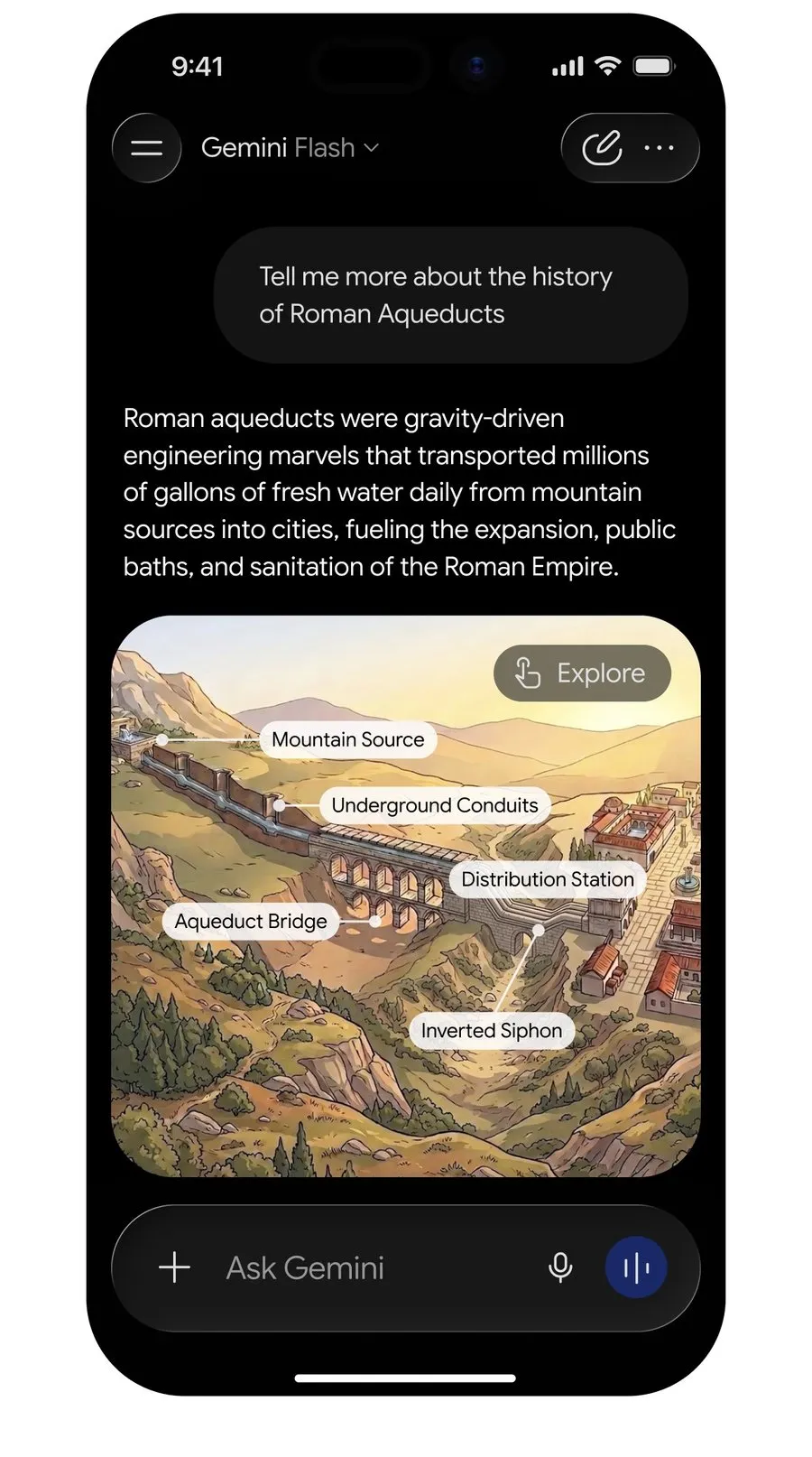
The model menu sits at the bottom of the prompt box on the web (at the top on phones); tap the current model’s name to change it. Since October 2026 it looks like this:
- No plan: only Auto. Google says most prompts go to Flash-Lite and those needing deeper reasoning may go to Flash or Pro. Turn off auto selection in Settings → Usage limits and everything uses Flash-Lite. Until 9 October free users could pick Flash and Pro themselves.
- AI Plus: Flash-Lite and Flash. According to emails seen by 9to5Google, Plus loses Pro on 13 November.
- AI Pro and Ultra: 3.5 Flash-Lite, 3.8 Flash, 3.1 Pro and 4 Argon.
Each model has low, medium and high effort levels, with low as the default. Higher effort means fuller answers and faster use of your allowance. To see which model wrote an answer, click More → Show thinking steps under it and scroll to the end.
Models in the Gemini app
Gemini picks the model; most prompts go to Flash-Lite.
- Use it for
- Everyday questions, quick facts, rewording
- Example
- Write three subject lines for this email, polite in tone.
- Limits
- You can't choose the model, and a hard question isn't guaranteed a strong one.
The fastest and cheapest model. Paid users drop to it when their allowance runs out.
- Use it for
- Short questions and rewrites
- Example
- Translate this paragraph into English and keep it conversational.
- Limits
- Shallow; don't expect long reports or multi-step analysis.
The middle ground between speed and quality; Google calls it the workhorse.
- Use it for
- Comparing a few documents, Canvas prototypes
- Example
- Compare these three tenancy agreements and list the differences in deposit and penalty terms.
- Limits
- Free users can't select it directly.
Stronger reasoning for maths, code and problems that need breaking down. Deep Think sits under it.
- Use it for
- Complex planning, long documents, code
- Example
- Work out why this Python script runs out of memory on large files.
- Limits
- Plus loses it on 13 November. The help page lists Deep Think as Ultra-only.
The flagship, in the app since 13 October 2026. Google says it is more direct, hedges less and follows formatting instructions better.
- Use it for
- Large multi-step jobs, turning scattered material into a document or page
- Example
- Turn these five quarterly reports into a one-page comparison table and flag any figures that don't agree.
- Limits
- Uses the most allowance; independent tests found it uses more tokens per task.
Sources: Gemini Help Center, About Gemini models and Changes to model access; 9to5Google (2026-10-09, 10-13, 10-14)
Argon’s reputation is still forming. Artificial Analysis scores it 53 on its index, level with GPT-6 Astra and behind Claude Opus 5.5 at 58. Its hallucination rate of 15% is the lowest among comparable models, partly because it says “I don’t know” more often. Bloomberg quoted Google staff saying its front-end design is unremarkable. ifanr’s Chinese writing test found it had shed the previous models’ habit of piling up grand words.
Connected to Gmail and Calendar, it earns its place
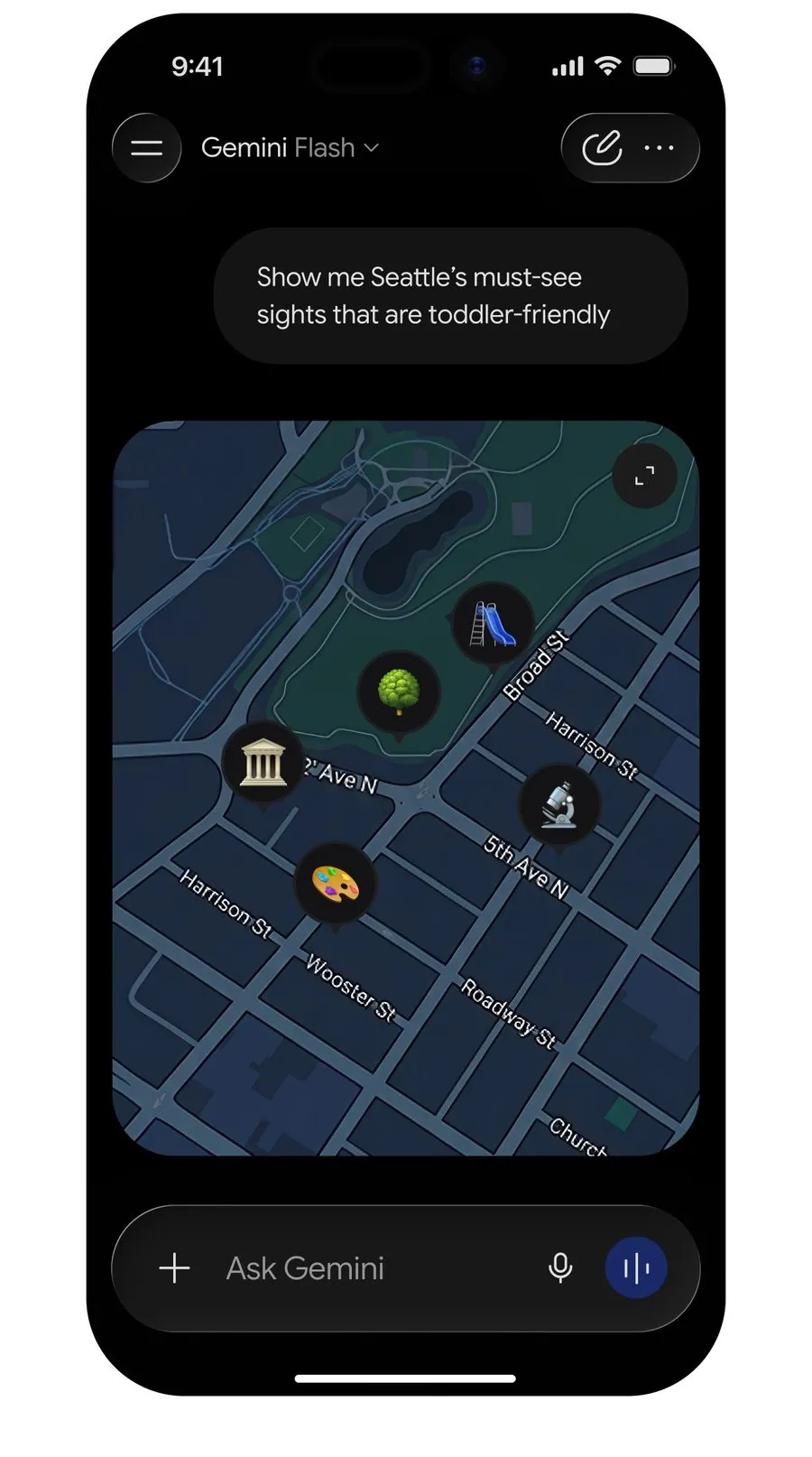
As a pure chatbot Gemini is not necessarily better than ChatGPT or Claude. Where it saves effort is reaching your data in Google:
- Gmail, Calendar, Drive: connect Google Workspace and ask “what did my manager’s budget email last week say?” or “add Saturday lunch at noon to my calendar”. It creates the event and can put an email draft straight into Gmail.
- Maps, YouTube, Flights and Hotels: questions about places come back with a map, and in Live it can use public Google Maps information.
- Personal Intelligence: a deeper connection that uses your Gmail, Photos, YouTube history and search history to make suggestions on its own. It needs a personal account with activity saving on, and is not offered in the EU, UK, Switzerland or Nigeria.
- Daily Brief: in the sidebar, it turns email, calendar and chats into two lists each day, Top of mind and Looking ahead. For now it is US-only, English-only, 18+ and paid.
- Other apps: since October you can connect more than 40 apps under Customize in the left menu, such as Instacart, OpenTable and Adobe; most work only in English in the US.
Gemini Live: talk with the camera on
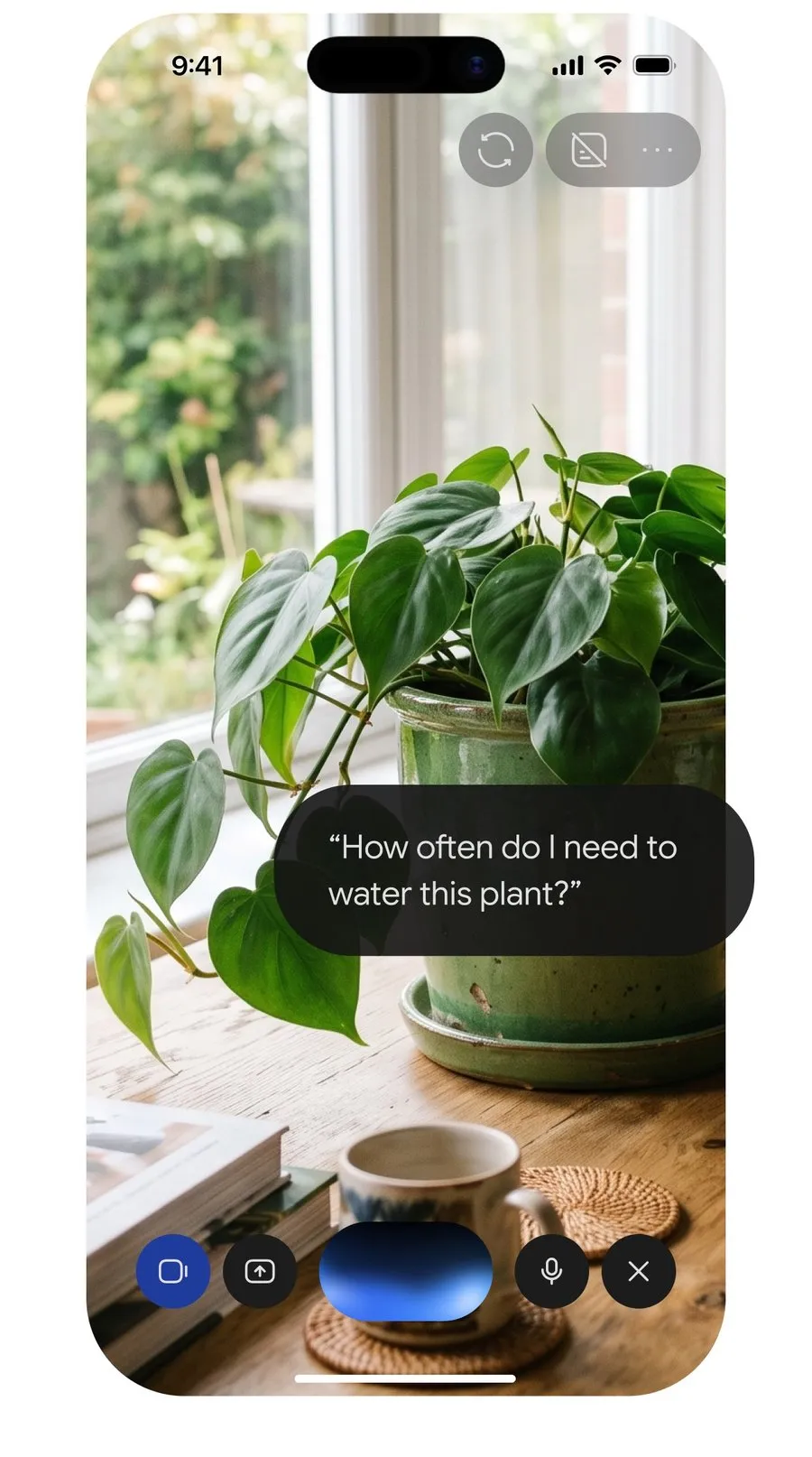
Tap Live at the bottom of the phone app (or swipe left) for a real-time voice conversation. You can cut in at any time to change direction; tap the camera icon to show it what’s in front of you, or share your whole phone screen. On Android, “Hey Google, let’s talk” opens it directly.
Worth knowing:
- There is no Live on the web app. On a computer, use Gemini in Chrome or the Mac and Windows apps for voice.
- Gems and Skills don’t work in Live.
- Recordings are kept: with activity saving on, Live transcripts, audio, camera and screen frames are stored in your Gemini Apps Activity. Using them to train models is a separate setting, off by default.
- Since May 2026 Live and text chat are one conversation, so you can switch back to typing without starting over.
Deep Research: free, but check the citations
On gemini.google.com, click + at the left of the prompt box, choose Deep Research and type your question. It first shows a research plan you can change with Edit plan, then spends 5 to 10 minutes reading dozens or hundreds of pages and writes a cited report. From the panel on the right you can export it to Google Docs or make a podcast-style Audio Overview.
- You choose the sources: Google Search is the default; under Sources you can add your Gmail and Drive, or limit it to files you upload.
- It is on the free plan, but Google says it may be unavailable to free users at busy times, and it is one of the most expensive features, so a few runs can hit the five-hour limit.
- Check the citations: a market researcher at Cottrill Research (testing an older version in 2025) found most citations credible, but a few links did not quite match what the report said, and it can’t read behind paywalls, so academic databases and paid reports are out.
Investigate the European heat-pump market in 2026: the main makers, price ranges and changes to subsidies by country. Give a source and date for every figure, and say plainly when you can't find a reliable source.
Pictures are free, video is paid
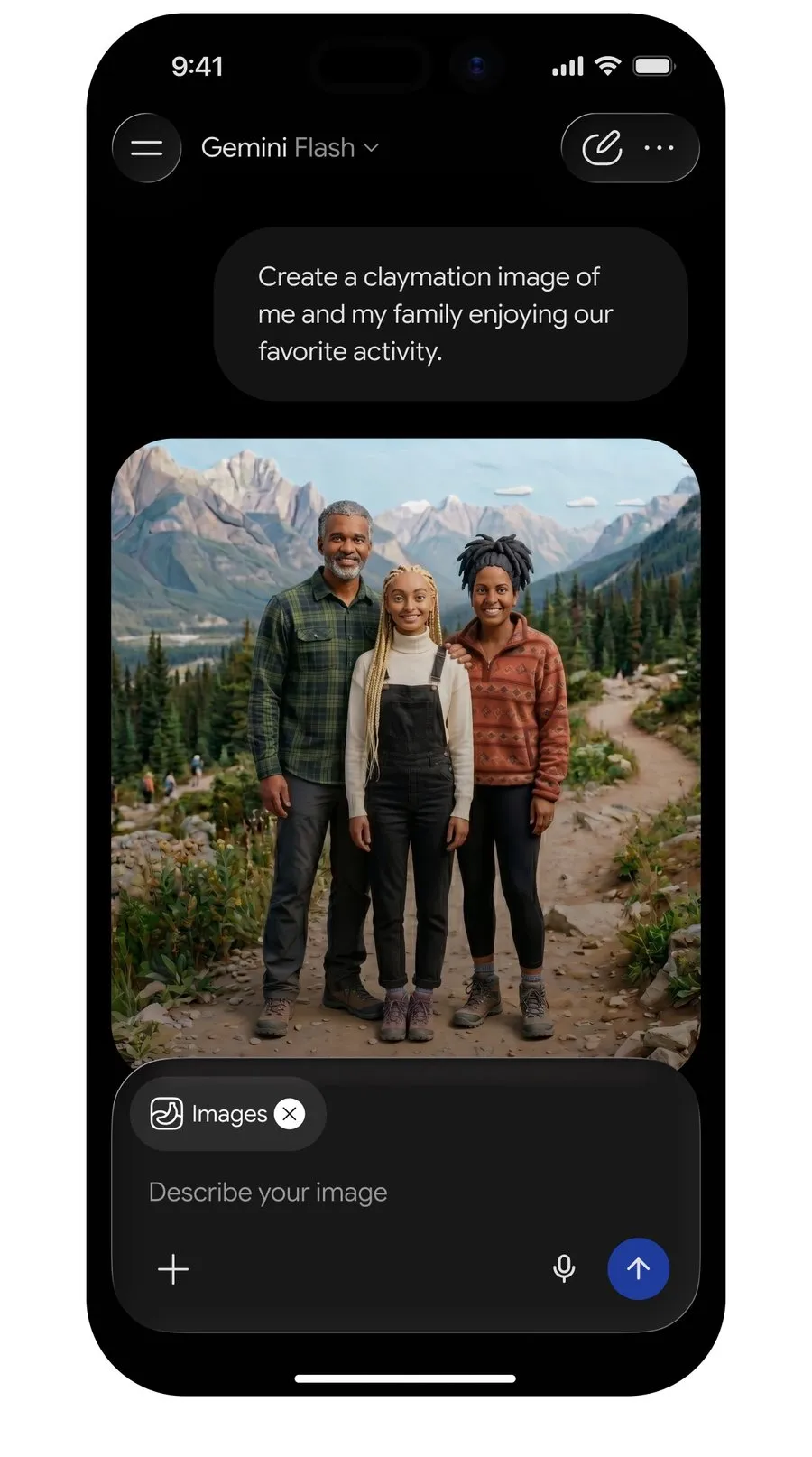
Pictures come from the Nano Banana family, now Gemini’s best-known feature. Click Images in the sidebar or just say “draw…”. Free users get Nano Banana 2, which spells text in images well and keeps faces consistent; you can upload several photos and have it combine them.
- The model you have selected decides the image model: Flash-Lite uses the faster, rougher Nano Banana 2 Lite; Flash or Pro uses Nano Banana 2.
- Paid users can choose More → Redo with Pro under an image to redraw it with Nano Banana Pro, which helps with infographics and posters.
- Downloads are 1K on the free plan and 2K on paid plans. Editing images requires being 18 or over.
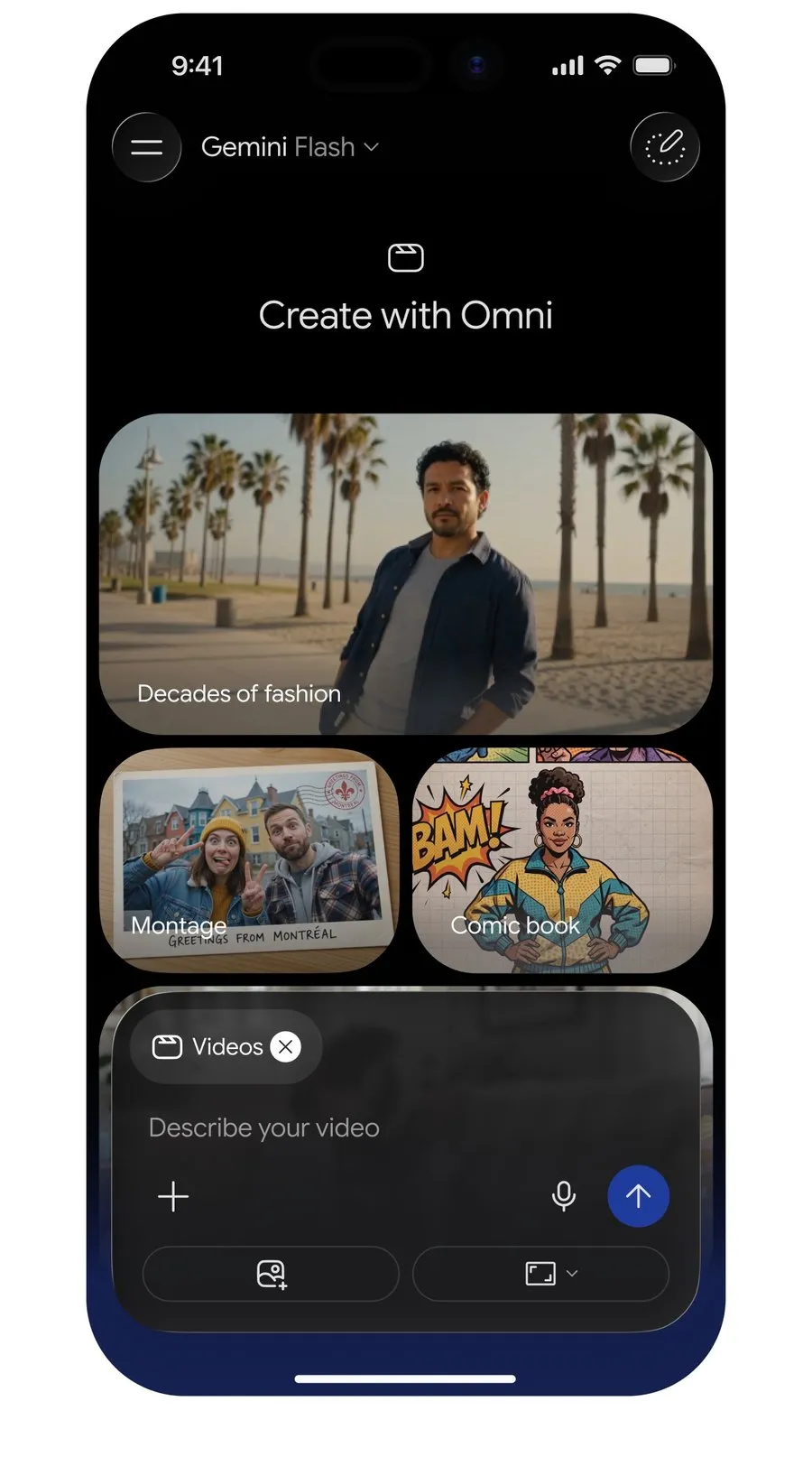
Video now uses Gemini Omni, launched in May 2026, rather than the earlier Veo. Click Create video in the sidebar and describe the clip, or upload one video and up to five images. Afterwards you can keep editing (“remove the person on the right”). It needs a Google AI plan (Plus or above) and an age of 18+; editing an uploaded video is not available in the EU, UK, Switzerland and some US states.
Video uses more allowance than anything else. Italy’s Punto Informatico reported that one AI Pro user who got early access before launch spent 86% of the day’s allowance on two clips; in May other users said a single failed generation emptied their five-hour allowance, after which Google said failed requests would no longer count.
Music uses Lyria 3 and is free: choose Music in the sidebar for templates such as rap, folk or 8-bit.
Canvas for making things, Gems become Skills
Canvas is one of the tools in the prompt box. Pick it and Gemini opens an editable panel on the right: edit one paragraph of an essay, preview a web page or small app as it is built, or turn a Deep Research report into a page, quiz or infographic. It is free. Note that the creator of a shared Canvas app can see whatever you type into it.
Gems (custom assistants) are on their way out. The help centre says Gems end for personal accounts in November 2026 and are turned into Skills automatically; Workspace business accounts follow in March 2027 and education accounts in June 2027. A skill is a reusable set of instructions you call in any chat with / and its name; Gemini also applies one by itself when it seems relevant, and you can stack several, with up to 100 active. Skills don’t yet work with Canvas or Deep Research and are for personal accounts aged 18+. To move early: Settings → Skills → Create manually, then paste in your Gem’s instructions.
Task mode: useful, but it needs a lot of access
Gemini Spark, the agent announced in May, became a Chat / Task switch above the prompt box in October (9to5Google, 2026-10-12). In Task mode it works on a Google cloud computer: going through your inbox, organising Drive, researching and writing documents, repeating jobs on a schedule, even with your phone switched off. It needs AI Pro or Ultra.
Tom’s Guide’s AI editor uses it daily: for a five-day plan from her calendar and unread email, a 7 p.m. summary of her day, and hotel comparisons for a family trip written into a Google Doc. She says it saves her at least an hour a day, and that letting AI read your inbox and calendar in the background is “incredibly useful — and slightly terrifying”.
Google says it will stop and ask before important actions such as sending email or paying. Its privacy notice also warns that Gemini “can make mistakes, like making purchases or sharing your data with third parties unexpectedly” and tells you to supervise it closely. Deleting a task thread also deletes Google files it created or changed.
Android and Chrome: it has replaced Google Assistant
From 4 September 2026 Google began replacing Google Assistant with Gemini on Android phones, tablets, Wear OS watches and headphones, in batches over several weeks. Holding the power button or saying “Hey Google” now brings up Gemini. According to 9to5Google in late September, the Switch to Google Assistant option has gone from newer Google app builds, although the help page still describes it. Nest speakers and smart displays keep Assistant for now.
It holds a fuller conversation, but some of the old assistant’s quick jobs are less smooth. In early October 9to5Google reported that Gemini on Android Auto hears a command, thinks, then gives up, with reports from Pixel, Samsung and Motorola owners.
Gemini in Chrome is the Gemini icon in the toolbar. It can read the page and your open tabs to summarise or compare them, and the desktop version supports Live. Auto browse, where it clicks and fills in forms for you, is a preview for AI Pro and Ultra subscribers in the US.
There are also free Mac (Option + Space, macOS 15 or later) and Windows (Alt + Space, Windows 10 or later) apps.
Plans: you pay for allowance and storage
Gemini’s subscriptions are called Google AI and are part of Google One, so each plan includes cloud storage. US prices (official page, 2026-10-17):
| Plan | Monthly | Usage | Models you can pick | What it adds |
|---|---|---|---|---|
| Free | $0 | Standard | Auto (mostly Flash-Lite) | 32k-token context; Deep Research, Canvas, pictures, Live; 15 GB |
| Google AI Plus | $4.99 | 2× free | Flash-Lite, Flash | 128k context; video; Daily Brief; Gemini in Gmail; 400 GB |
| Google AI Pro | $19.99 | 4× free | Adds Pro and Argon | 1M-token context; Task mode; Chrome auto browse; YouTube Premium Lite; 5 TB |
| Google AI Ultra | $99.99 or $199.99 | 5× or 20× Pro | All | Deep Think; Project Genie; YouTube Premium; from 20 TB |
How usage is counted: since 17 May 2026 Google no longer counts messages per day but compute, with an allowance that refreshes every five hours up to a weekly cap. A simple question costs almost nothing; long chats, big files, Deep Research and video cost a lot. Settings → Usage limits shows what’s left. Paid users who run out drop to Flash-Lite. Google’s own advice is to start a new chat for a new topic, because a long chat is re-read with every reply. When the change arrived, Reddit and X filled with complaints, including a Pro subscriber who used half the allowance in five questions, and Google then capped how much one prompt can use.
Elsewhere: in Taiwan the plans are NT$165, NT$650, NT$3,300 and NT$6,500 a month; in Hong Kong, unwire.hk reports Plus at HK$38 and Ultra at HK$799.
- Students: US college students aged 18+ get a year of AI Pro free if they sign up by 31 December 2026; it then renews at $19.99 a month. Students in more than 140 other countries can get AI Plus free.
- Which to choose: for chat, look-ups and the odd picture, the free plan is enough. Plus is the cheapest way to pick your model and make video, but loses Pro after 13 November. AI Pro is the one to buy for Argon, Task mode, or if you need 5 TB of storage anyway.
Settings worth changing: activity, human review, personalisation
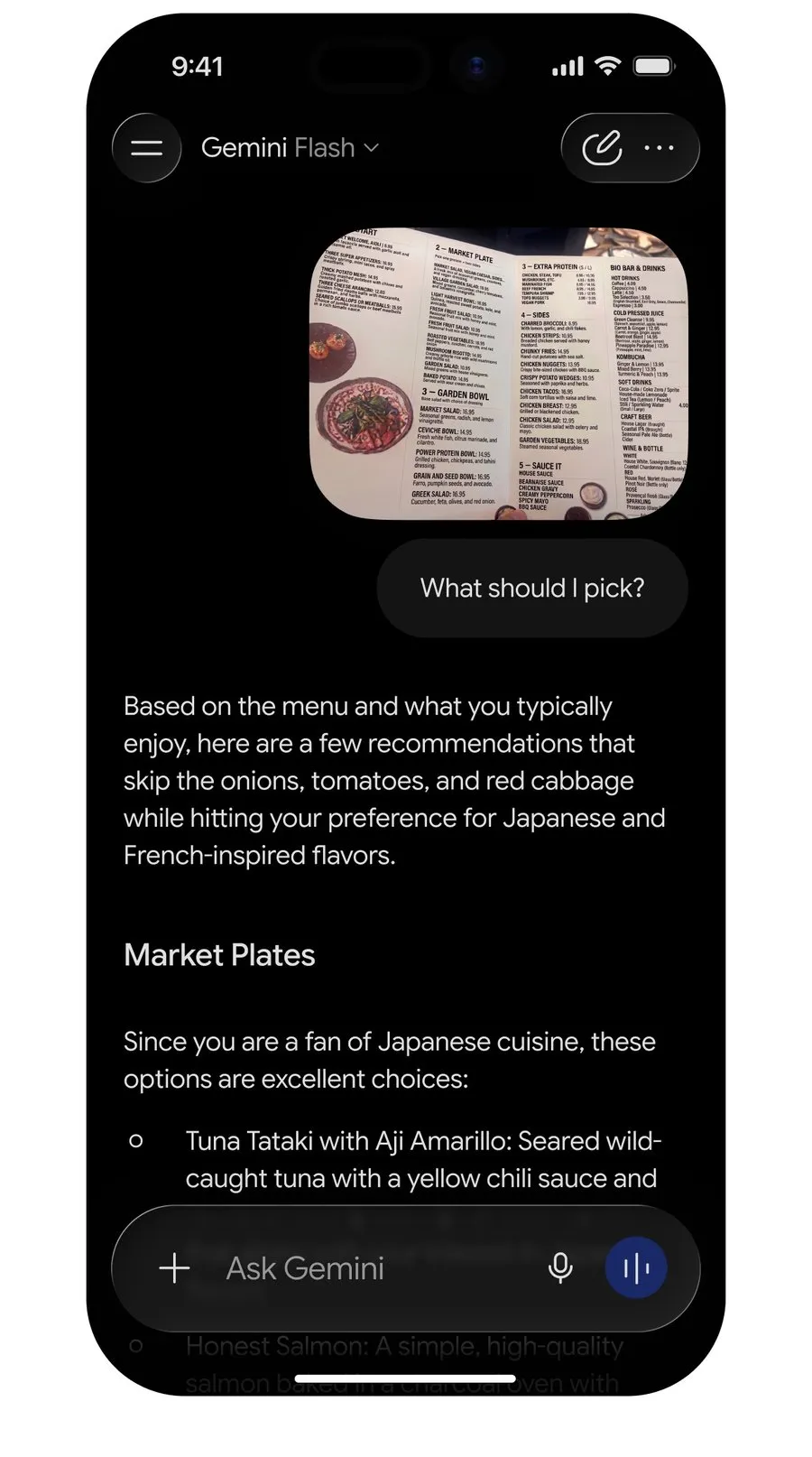
- Keep Activity: on a computer, click Settings & help → Activity at the bottom left, or go to myactivity.google.com/product/gemini. It is on by default for over-18s and keeps chats for 18 months; you can choose 3 or 36 months or no auto-delete. The same setting controls whether your chats are used to improve Google’s AI.
- Human review: the privacy notice says Google’s reviewers, including staff at service providers, read some chats. Reviewed chats are not deleted when you delete your activity and are kept for up to three years. Don’t share passwords, medical records or company secrets.
- The cost of turning activity off: chats are still kept for up to 72 hours; Deep Research reports and tasks no longer appear in the sidebar, and Personal Intelligence stops working. For the occasional private question, use Temporary chat next to New chat: it stays out of your activity and isn’t used for training.
- Personal Intelligence and connected apps: Settings & help → Personal Intelligence → Connected Apps to switch Gmail, Photos, YouTube and search history on or off one by one. To keep a single chat unpersonalised, click Tools in the prompt box and turn Personal Intelligence off.
- Ads: Google’s privacy policy, in force since 16 October, says that if you let Search and other services read your Gmail, Photos or Drive, that content can be used to personalise things “including ads”. To opt out, turn off those connections under “Search personalisation” in your Google Account.
- Usage and auto selection: Settings → Usage limits, with the auto model selection switch at the bottom.
Too many names: company, model, app
| Name | What it is | Link with the Gemini app |
|---|---|---|
| Google DeepMind | Google’s AI research division | Trains the Gemini models |
| Gemini (models) | Model family: Flash-Lite, Flash, Pro, Argon | The brain inside the app; developers pay per use through the Gemini API and AI Studio |
| Gemini app | The assistant on web, phone and desktop, the subject of this page | — |
| Google AI Plus / Pro / Ultra | Personal subscriptions, part of Google One | Raise the app’s limits and add storage |
| Gemini Enterprise | Business edition, from $21 per seat a month | Business data isn’t used to train models |
| Gemini Notebook | Formerly NotebookLM, renamed July 2026 | Notebooks open in the Gemini app and can feed Deep Research |
| Nano Banana, Gemini Omni, Lyria | Image, video and music models | What the app uses for pictures, video and music |
| AI Mode in Google Search | Conversational answers in Search | Same models, but not the Gemini app |
Can you use it in China?
Not with a personal account in mainland China. Google’s list of supported regions shows mainland China as “Workspace only”, meaning company Workspace accounts. Hong Kong got the free version on 16 March 2026, and Hong Kong now appears in the lists for Plus, Pro and Ultra; Taiwan and Macau are listed too. The app and chats work in Simplified and Traditional Chinese, but new features such as Daily Brief and third-party app connections mostly start in English in the US.
A situation that comes up often on V2EX, a Chinese tech forum: an account set to the US suddenly gets “not available in your region” because Google has decided the IP address is in China. When that happens, Gemini, YouTube Premium and other paid Google services all stop working together.
Three things to try first
- Open gemini.google.com or search for Google Gemini in your app store (iPhone needs iOS 17.4 or later); on Android, holding the power button may already open it. Desktop apps are at gemini.google/desktop.
- Sign in with a Google account, then go to Settings & help → Activity and decide how long chats are kept.
- Connect Google Workspace under Settings & help → Connected Apps, then try these:
Find emails from the past two weeks that I haven't answered and that need a decision from me. Sort them by urgency and say in one line what each sender wants me to do.
(Tap Live, point the camera at what's in your fridge and say) What can I make for dinner with this in under twenty minutes?
(Upload a photo) Keep the people the same and change the background to a beach at dusk, with the light coming from the same direction as before.
Recent changes
- Four AI agents that watch your inbox: what they do unasked, and what they refuse even with approvalOur coverage
- Gemini 4 Argon arrives in the Gemini app for AI Pro and Ultra; a Chat / Task switch appears above the prompt box
- Free users can no longer pick a model, only Auto, which sends most prompts to Flash-Lite; low, medium and high effort levels for everyone
- Google's business Gemini agent does staff work across more than 100 office appsOur coverage
- Skills launch; Gems end for personal accounts in November and become Skills automatically
- Google expands Argon access and shows an overnight code optimisationOur coverage
- Android phones start switching from Google Assistant to Gemini in batches, with no way back
- NotebookLM is renamed Gemini Notebook; notebooks open inside the Gemini app
- Google AI Plus cut from $7.99 to $4.99 a month; storage doubled from 200 GB to 400 GB
- I/O: usage becomes compute-based with five-hour and weekly limits; Ultra drops to $99.99; Spark agent and Omni video launch
Compared with similar products
| Product | Price | What it is |
|---|---|---|
| ChatGPTOpenAI · handbook | Unlimited text chat, other features capped, ads in some countries; Go $8 / Plus $20 / Pro $100–$500 a month | OpenAI's AI assistant and the most used one in the world. Chat, search, pictures and voice are free; paid plans let you hand over whole jobs such as slides, spreadsheets, websites and code. Not offered in mainland China or Hong Kong. |
| ClaudeAnthropic · handbook | Sonnet and Haiku, smaller allowance; Pro $20, Max $100 / $200 a month | Anthropic's AI assistant on the web, desktop and phone: it writes, reads long files and researches, hands back Word, PowerPoint and Excel files, and on paid plans can work your computer and browser. |
| Microsoft CopilotMicrosoft · handbook | Chat and images, with a daily cap; Microsoft 365 Personal $9.99, Premium $19.99, Pro $99.99 a month | Microsoft's AI assistant: chat and make images on the web, phone or PC, and with a Microsoft 365 subscription it writes and crunches numbers inside Word and Excel. |
| DeepSeekDeepSeek · handbook | App and web completely free, no subscription; No subscription; API pay per use, off-peak output $0.60 per million tokens | Hangzhou DeepSeek's free AI assistant: one chat box with two switches (DeepThink and Search), good at maths, reasoning and long files, and able to read pictures since this year. It cannot make images and has no paid plan. |
| Doubao 豆包ByteDance · handbook | Most features free; ¥68 / ¥200 / ¥500 a month | ByteDance's AI assistant and the most used one in China: it takes voice calls, answers questions about photos, makes slides, edits pictures and video, and can operate your computer. |
| GeminiGoogle · handbook | Auto model selection (mostly Flash-Lite), limits refresh every 5 hours; $4.99 / $19.99 / from $99.99 a month | Google's AI assistant, wired into Gmail, Calendar, Drive, Maps and YouTube, and now the assistant on Android phones in place of Google Assistant. It chats, researches and writes reports, makes pictures and video, and on paid plans runs multi-step tasks for you. |
| GrokSpaceXAI · handbook | Limited daily use, mainly Fast mode; Plus $8 / Premium $30 / Super $100 / Ultra $200 a month | The AI assistant from Musk's SpaceXAI, built into the X social network: it reads live discussion on X, answers questions with web search, makes pictures and video, talks by voice, and on paid plans can send agents to do work for you. |
| KimiMoonshot AI · handbook | Sign-up and chat; free allowance not published; China ¥49 / 99 / 199 / 699 a month; international $19 / 39 / 99 / 199 a month | Moonshot AI's assistant: it reads long files, does deep research, makes slides and websites and writes code, running on Kimi K3, the largest open-weight model. |
| Mistral Vibe (Le Chat)Mistral AI · handbook | Yes, with limited messages and web searches; Pro $14.99/month (students $5.99), Team $24.99 per user/month | The assistant from France's Mistral AI, called Le Chat until it was renamed Vibe in May 2026: chat, web search, multi-step tasks on your behalf, and coding. |
| Qwen 通义千问Alibaba · handbook | Chat and errands free; office and video have daily quotas; ¥19 / ¥49 / ¥128 a month; video credits extra | Alibaba's AI assistant, called Qianwen (千问) in China and Qwen abroad. Besides chat, slides and video, the Chinese app can use Taobao, Alipay, Amap and Fliggy to order food, book travel and run errands for you. |
Sources
- Google · Gemini subscriptions (US, read 2026-10-17)
- Google · Gemini subscriptions (Taiwan)
- Google · Gemini Apps release notes
- Gemini Help · Limits and feature availability by plan
- Gemini Help · About Gemini models
- Gemini Help · Changes to Gemini model access and limits
- Gemini Help · Gemini Apps Privacy Notice (updated 2026-10-13)
- Gemini Help · Manage and delete your Gemini Apps activity
- Gemini Help · Where you can use the Gemini web app
- Gemini Help · Gemini Live
- Gemini Help · Deep Research
- Gemini Help · Generate and edit images
- Gemini Help · Generate videos
- Gemini Help · The transition from Gems to skills
- Gemini Help · Daily brief
- Gemini Help · Personal Intelligence (connect Google apps)
- Gemini Help · Deep Think
- Gemini Help · Manage Gemini on Android
- Google · Gemini for students
- Google · Gemini in Chrome
- Google · NotebookLM is now Gemini Notebook (2026-07-16)
- App Store · Google Gemini (version 1.2026.4070303)
- 9to5Google · Google adjusts Gemini's new usage limits after complaints (2026-05-28)
- Android Central · Complaints worked: Google addresses Gemini's usage limits (2026-05-28)
- 9to5Google · Free and AI Plus users to lose model access (2026-10-03)
- 9to5Google · Free users get Auto only (2026-10-09)
- 9to5Google · Spark moves into chat as Task (2026-10-12)
- 9to5Google · Gemini 4 Argon rolls out to the app (2026-10-13)
- 9to5Google · AI Plus loses Pro on 13 November (2026-10-14)
- 9to5Google · Gemini for Android Auto gives up on answers (2026-10-02)
- tbreak · Gemini replaces Google Assistant on Android (2026-09)
- The Verge · Google finally releases Gemini 4 Argon (2026-10-13)
- The Next Web · Argon in independent tests, and Bloomberg's report (2026-10-02)
- ifanr · Gemini 4 launch and hands-on (2026-10-14)
- Tom's Guide · I use Gemini Spark daily (2026-07-31)
- Punto Informatico · Gemini Omni tested before launch (2026-05-12)
- Cottrill Research · Gemini Deep Research and source transparency (2025-04-29)
- implicator.ai · Gemini passes 1 billion monthly users (2026-08)
- unwire.hk · Google AI Plus price cut (2026-06-10)
- unwire.hk · Gemini arrives in Hong Kong (2026-04-03)
- V2EX · Gemini suddenly says the region is unsupported (2026-02-26)
- Gemini overview
- Wikipedia: Gemini