GitHub Copilot
By GitHub (Microsoft) · github.com/features/copilot ↗ · Checked 18 Oct 2026
GitHub's AI coding assistant: it completes and edits code in VS Code, JetBrains, Xcode and other editors, takes issues and opens pull requests from the cloud, reviews PRs, and has a command-line tool and a desktop app.
Verdict
If your code already lives on GitHub, Copilot is the least disruptive way to add AI: you keep your editor, completions are unlimited on paid plans, issues, PRs and reviews happen where they already do, and one subscription lets you pick Claude, GPT or Gemini. The catch is that since June 2026 usage is billed by tokens as AI credits, and the $10 Pro plan includes only about $15 of usage a month, which an agent on an expensive model can burn in days. Turn off training on your data in settings first; it is on by default for personal plans.
Use it if
- Individuals and teams whose code is on GitHub and who want fewer new tools
- People on JetBrains, Visual Studio, Xcode or Eclipse who don't want to switch editors
- Maintainers who want to hand small issues to AI and only review the PRs
- Anyone who wants to choose between many vendors' models per task and pay by use
- Verified students, teachers and maintainers of popular open-source projects (free)
Use something else if
- Running agents on big tasks for hours every day: Claude Code with Claude Pro, or Codex with ChatGPT Plus, goes further for the money
- Watching AI edit inside the editor line by line with easy rollback: Cursor is smoother
- Mainland China without a foreign card or a stable connection: Trae's China edition, or Cline with Chinese models, is less hassle
- Free plan
- 2,000 completions a month; very little chat and agent use
- Paid
- $10 / $39 / $100 a month; teams $19 or $39 a user
- Where
- VS Code, Visual Studio, JetBrains, Xcode, Eclipse; GitHub website and mobile app; command line; desktop app for Mac, Windows and Linux
- Models
- 30-plus from Anthropic, OpenAI, Google, xAI, Moonshot (Kimi) and Microsoft (MAI); pick one or leave it to Auto
- Billing
- Completions free; chat, agents and review billed by tokens as AI credits, 1 credit = $0.01
- Sign-in
- GitHub account
- Data
- Personal plans train models by default, can be turned off; Business and Enterprise never
- Paid users
- 4.7 million (January 2026, Microsoft earnings call)
GitHub Copilot was the first AI coding assistant to catch on, back in 2021, and it made its name by finishing the line you had half typed. Five years on it is a whole kit: completions and an agent inside your editor, a cloud agent on GitHub that takes issues and opens pull requests, automatic PR review, a command-line tool and a desktop app, with dozens of models from Claude to GPT to Gemini behind them. Microsoft said on its January 2026 earnings call that it had 4.7 million paying users.
2026 has been a bumpy year for it: in April GitHub stopped taking new personal subscriptions for almost two months, and from 1 June it switched from counting requests to counting tokens. The table below sums up the official docs, the changelog and what developers say; each row links to its section.
What to hand it, and what not to
| What you want | How | Free plan | How it goes |
|---|---|---|---|
| Completions as you type | Install the extension and type; Tab accepts | 2,000 a month | Unlimited and credit-free on paid plans; still its most dependable part |
| Have it edit several files in your editor | Pick Agent at the bottom of the Chat panel | Very little | Works well, but long tasks on expensive models eat credits |
| Hand it an issue and get a PR | Set Copilot as the issue's assignee | No, Pro and up | Good for well-bounded small jobs; 59 minutes per session at most |
| Review PRs | Add Copilot as a reviewer on the PR | Only reviewing a selection in VS Code | Catches real issues, some find it nitpicky; uses credits and Actions minutes |
| Work in the terminal, run tasks in parallel | Run copilot, or use the Copilot app | Yes, small allowance | Now the same shape as Claude Code, with native GitHub on top |
| Choose a model | Model drop-down beside the input box | Auto only | Widest choice; cheapest and dearest models differ more than a hundredfold |
| Use it from mainland China | — | — | The website loads; completion and chat endpoints are flaky; paying needs a foreign card |
One subscription, several ways in
The same GitHub account and the same allowance work in all of these:
- Editors: official extensions for VS Code, Visual Studio, the JetBrains IDEs, Xcode and Eclipse, with completions, chat and agent mode. This is the big difference from Cursor: you don’t change editor.
- GitHub website and mobile app: ask about a repository, hand an issue to the cloud agent, request a review.
- Command line: Copilot CLI, for chatting, editing files and running commands in the terminal.
- Copilot desktop app: for Mac, Windows and Linux, on every plan, built for juggling several agent tasks at once.
- GitHub Desktop: only helps with commit messages.
GitHub’s own advice: if you’re unsure where to start, start on the website, since there’s nothing to install.
Completions: the one unlimited part
Once the extension is installed and you’ve signed in, just write code; when grey suggestions appear, press Tab to accept. The other half is Next Edit Suggestions: after you change one spot, it guesses where you’ll edit next and takes the cursor there.
Since the June 2026 billing change, these two are the only features that don’t use AI credits, and they are unlimited on every paid plan; Free gets 2,000 completions a month. If completions are mostly what you want, the $10 Pro plan is still one of the cheapest options around.
One thing people overlook: a suggestion can be identical to public code. GitHub says this happens in under 1% of suggestions, and offers a filter, covered under “Change these two settings first” below.
Agent mode in the editor: where most work happens
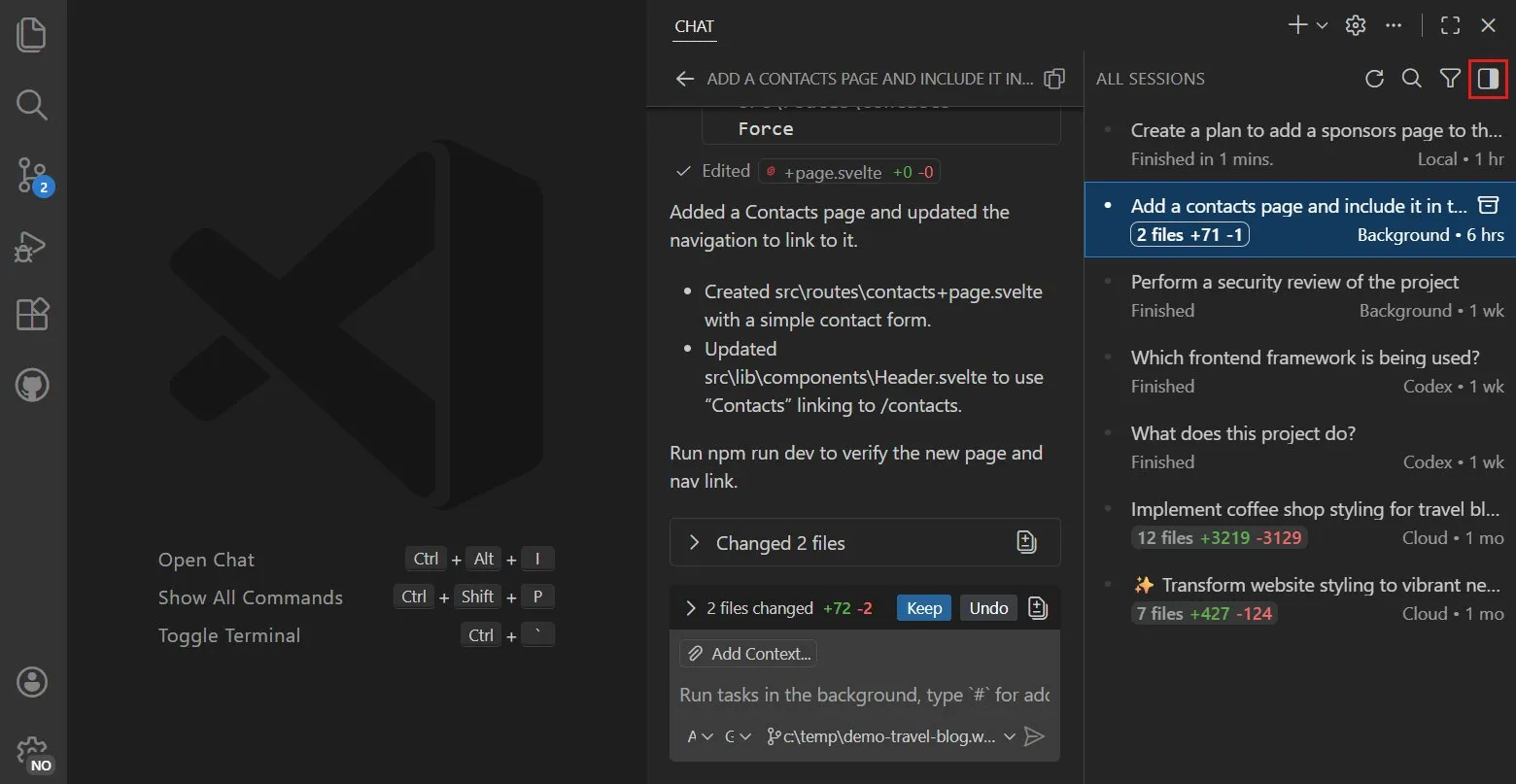
In VS Code, press Ctrl+Alt+I to open Chat and choose a mode from the drop-down at the bottom of the input box:
Ways to hand work over in the editor
Answers questions and explains code without touching your files.
- Use it for
- You don't understand some code, or want to compare approaches
- Example
- Why does this function return undefined for an empty array?
- Limits
- Every question is billed by tokens, but a quick one on a light model often costs a fraction of a credit.
Reads the code, asks you clarifying questions and writes a step-by-step plan; it only starts once you agree.
- Use it for
- Big changes or fuzzy requirements
- Example
- I want to move login from sessions to JWT. List the files and steps first; don't change any code yet.
- Limits
- The plan uses credits too; the pay-off is fewer wrong turns.
Decides which files to change, edits them, runs commands and tests, fixes what fails, and keeps going until done.
- Use it for
- Clear goals that touch several files
- Example
- Add unit tests for utils/date.ts and keep going until they pass.
- Limits
- By default you approve each terminal command. One task means many model calls, so it uses the most credits.
Sends the task to a GitHub cloud environment, which opens a PR when done; your computer can be off.
- Use it for
- Self-contained jobs you're happy to review afterwards
- Example
- (In an issue) Add a dark-mode toggle to the settings page.
- Limits
- Paid plans only; 59 minutes per session at most; one repository and one PR per task.
Sources: GitHub Docs · Using agent mode in your IDE; GitHub Copilot on GitHub.com
Agent mode is in VS Code, Visual Studio, JetBrains, Xcode and Eclipse, with slightly different entry points. It can also use MCP servers for outside tools.
What users say: lagrange77 on Hacker News, who uses the Business plan at work, first writes a requirements Markdown file together with the agent, then has it implement one item at a time while “micro managing it and making sure that I understand what it has written”. Another HN user, phoghed, says Copilot is “fine, and it’s good that you get all the models rather than locking yourself into Claude models”, though he grants Claude Code had a big lead before Copilot got agent mode.
Assign the issue to Copilot: the cloud agent opens a PR
This is where Copilot differs most from the other tools: the work starts on GitHub itself.
- Open an issue and choose Copilot under “Assignees”; or describe the task in the agents panel or in Chat on the website.
- It reads the code, edits files and runs tests and linters in a temporary cloud environment, creating the branch and writing the commit messages itself.
- When done it opens a PR. Comment on the PR and it keeps working; the session log shows every step it took.
The documented limits: it can change only the repository the task started in; one branch and one PR per task; and each session runs for 59 minutes at most, then stops, so split big jobs up. You can switch it off for your own repositories: profile picture → “Copilot settings” → “Cloud agent” → “Repository access”.
Pro+, Max and the team plans can also hand tasks from the same place to third-party agents such as Anthropic’s Claude and OpenAI’s Codex (public preview). Pro can’t.
Code review: handy, but now billed twice
Add Copilot under “Reviewers” on a PR and it reads context from the whole repository, leaves comments on specific lines and offers suggested fixes you can apply in a couple of clicks; you can also have it review every PR automatically. It works on the website, the mobile app, VS Code, Visual Studio, JetBrains and Xcode, on every paid plan; Free can only review a selection in VS Code.
Opinions split. HN user NixMaldonado finds its reviews “a bit maniacal”. SwellJoe, who gets Pro free for open-source work, used it “pretty religiously” until he found it had introduced “a monster of a misfeature” he hadn’t noticed; every later model saw the change and its explanation and “assumed it was policy”, and complexity snowballed. Treat it as a second pair of eyes, not an approval.
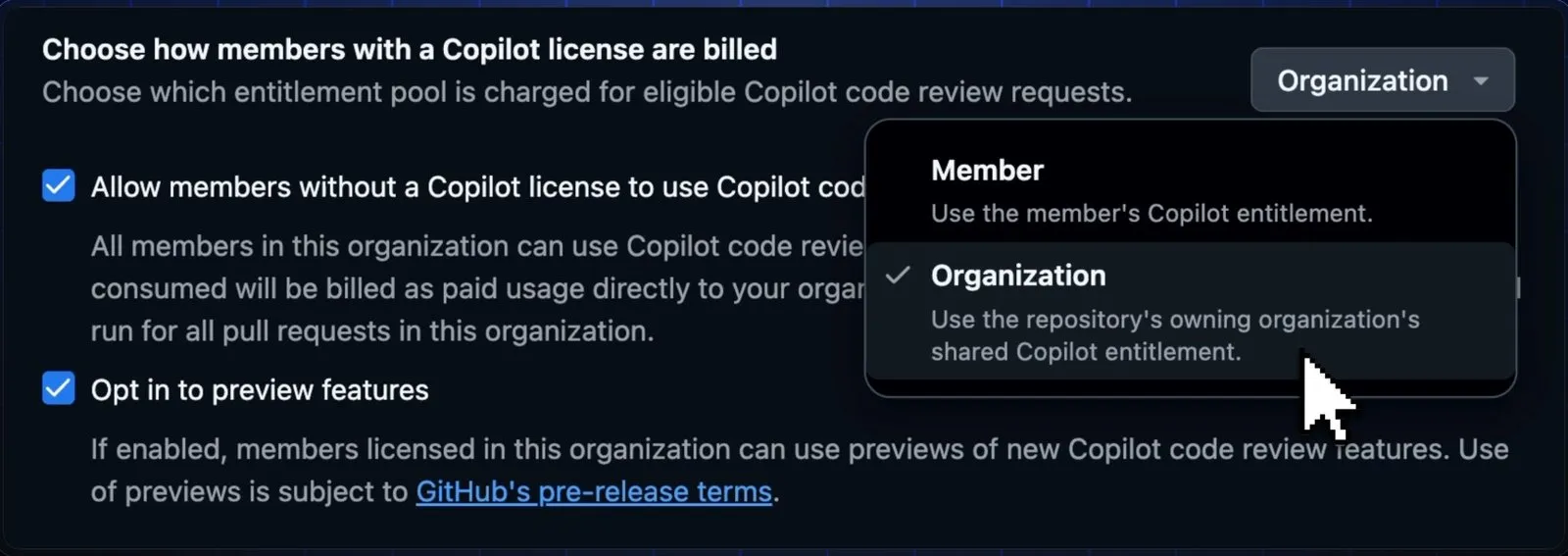
Mind the money: since 1 June 2026 every review uses both AI credits and GitHub Actions minutes, and the model it uses isn’t disclosed, so you can’t know the cost in advance. From 28 September the default review effort is “Balanced”; to save, switch it back to “Lite” under repository Settings → “Copilot” → “Code review”.
The CLI and the desktop app: one agent
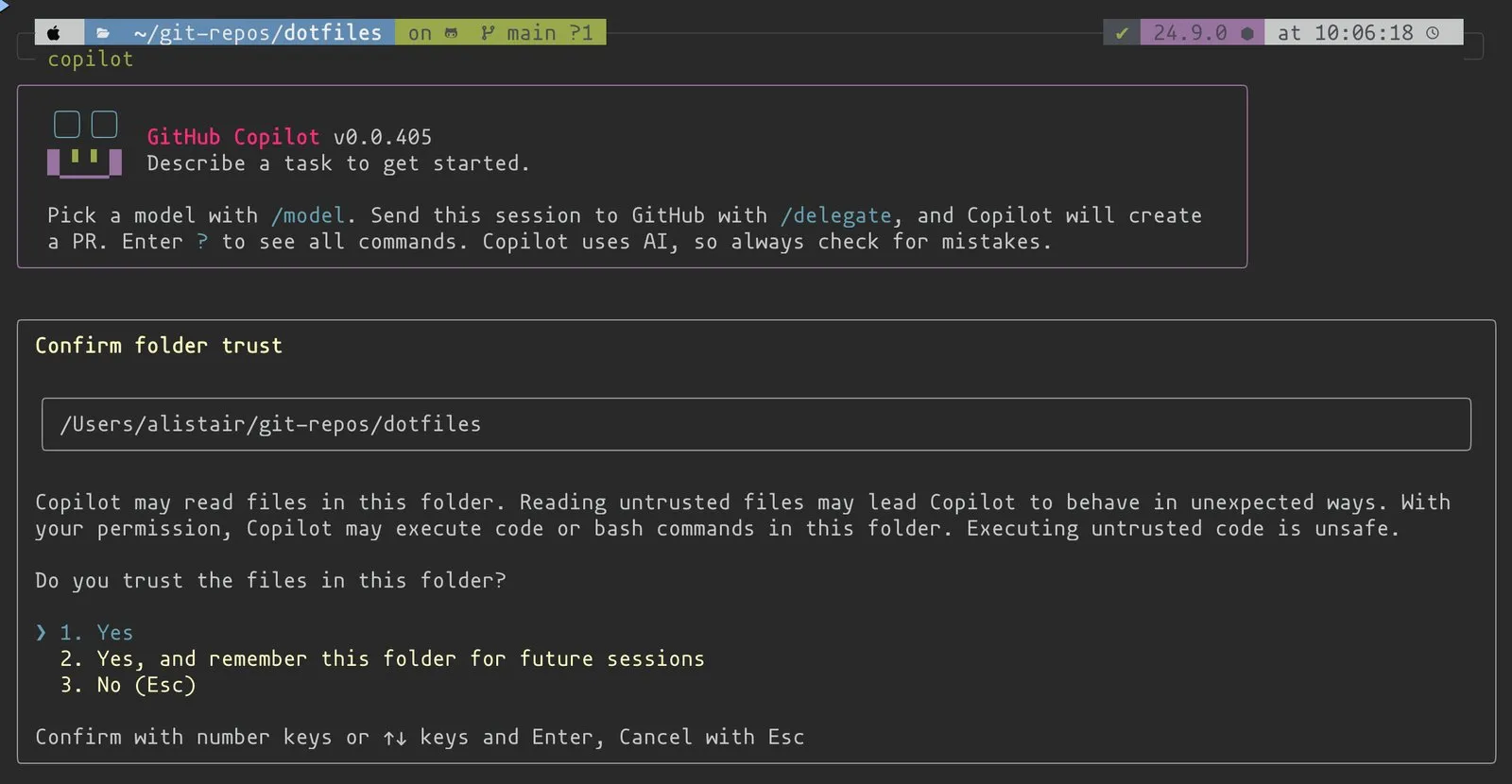
Type copilot in a terminal to start Copilot CLI. The commands you’ll use most:
/modelswitches model; Shift+Tab toggles plan mode, so it proposes a plan before touching anything./delegatehands the current session to the cloud agent, which goes off and opens a PR.- Since October,
/computer onlets it operate other apps on your computer (public preview; it asks before controlling each app).
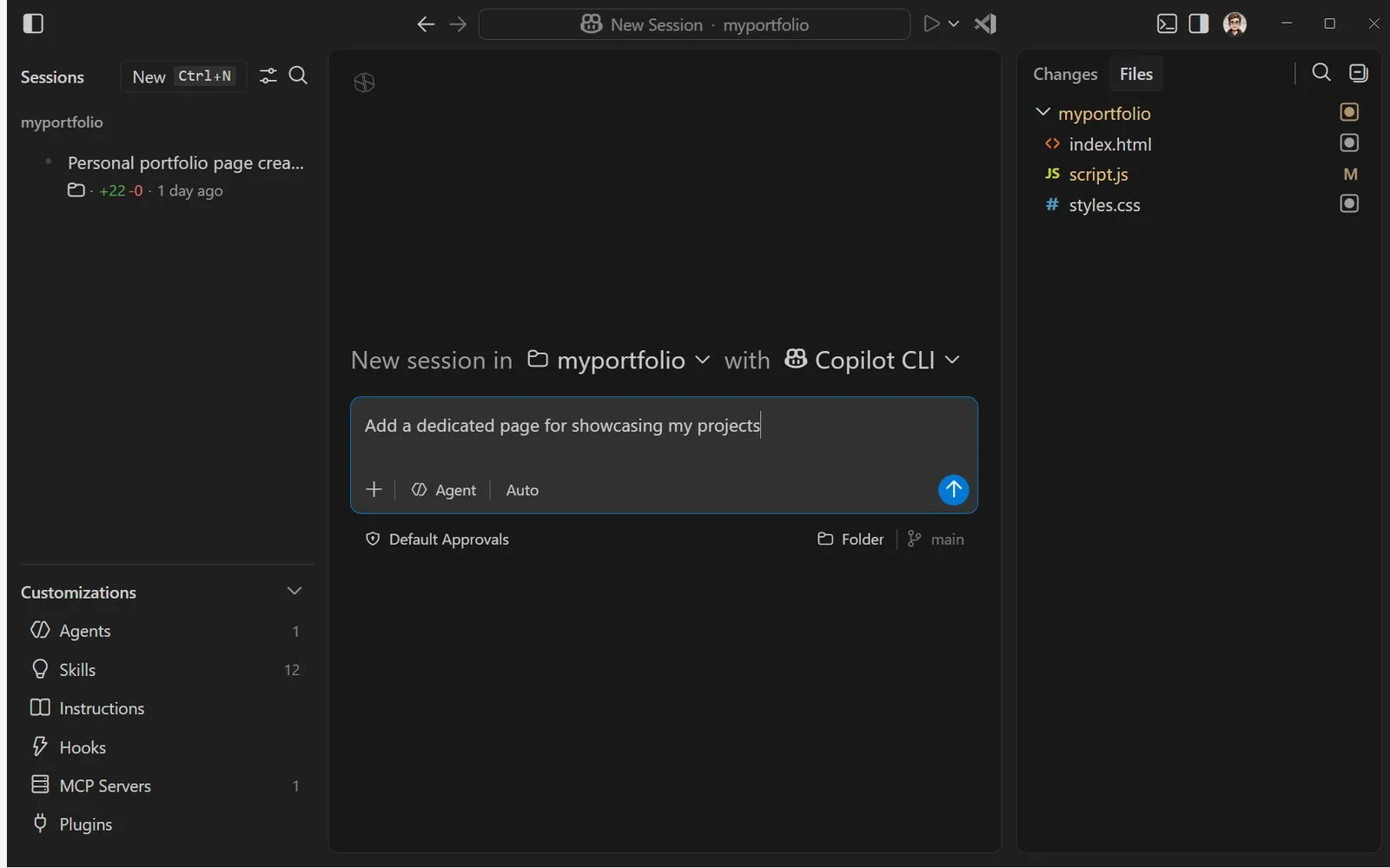
The Copilot desktop app is built on the CLI and suits running several things at once: each session gets its own git worktree and branch, and you choose “Interactive” (work together), “Plan” (it plans, you approve) or “Autopilot” (fully autonomous). Since 7 October the CLI, the app and VS Code (Agent Host sessions) support local sandboxes that restrict which folders an agent can read and write, whether it can reach the network and whether it can use your Git credentials. Turn the sandbox on before going full Autopilot.
Choosing a model is choosing a price
The drop-down beside the input box lists more than 30 models: Anthropic’s Claude, OpenAI’s GPT, Google’s Gemini, xAI’s Grok, Moonshot’s Kimi K3 and Microsoft’s own MAI. Each is now priced per token, and the spread is huge (per million tokens, input / output):
| Model | Input | Output | Notes |
|---|---|---|---|
| GPT-6 Luna, Claude Haiku 5.5 | $0.10 | $0.50 | Cheapest tier; fine for questions and small edits |
| Gemini 4 Argon | $2 | $10 | Promotional price until 1 December; not on Pro |
| Claude Opus 5.5 | $4 | $20 | A popular strong model |
| GPT-6 Astra | $10 | $50 | Among the most expensive |
A rough sum: Pro includes 1,500 credits a month, or $15. An agent run on Claude Opus 5.5 that reads 1 million tokens and writes 50,000 costs about $5, so three such tasks use the month’s allowance. (Cached input is much cheaper, so real runs come in somewhat lower.)
If you’d rather not do sums, use Auto: it picks a model by task difficulty and system load, with “Efficiency”, “Balance” and “Intelligence” preferences, and paid users get 10% off model costs when using it. Since 24 June, Free and Student plans can only use Auto. There is also HydraFusion, a research preview that has several models draft and check each other’s work; it suits hard problems but uses more tokens.
The line-up changes quickly: on 16 November Claude Opus 4.8, Opus 5 and GPT-5.6 Terra are retired, with Opus 5.5 or GPT-6.1 Sol suggested instead. Update any model names written into scripts or team conventions.
Plans: same prices, but the allowance is now money
From 1 June 2026, “premium requests”, which were counted per request, gave way to AI credits: each interaction is priced from its input, output and cached tokens at the model’s rate, and 1 credit = $0.01. Paid plans include two parts: “base credits” equal to the price, plus a “flex allotment” that GitHub says will change as costs change.
| Plan | Per month | AI credits a month | Main differences |
|---|---|---|---|
| Free | Free | Small | 2,000 completions; Auto only; no cloud agent or PR review |
| Student | Free (verified students) | Small | Unlimited completions; Auto only; no third-party agents |
| Pro | $10 | 1,500 (1,000 + 500 flex) | Unlimited completions; cloud agent and code review; a selection of models |
| Pro+ | $39 | 7,000 (3,900 + 3,100 flex) | All models; third-party agents such as Claude and Codex |
| Max | $100 | 20,000 (10,000 + 10,000 flex) | Largest allowance; priority access to premium models |
| Business | $19 a user | 1,900 a user, pooled across the organisation | Central management and policies; data not used for training |
| Enterprise | $39 a user | 3,900 a user, pooled | Requires GitHub Enterprise Cloud; more enterprise features |
Credits reset on the 1st of each month (UTC) and don’t roll over. When they run out you can upgrade (paying only the difference) or set a budget and keep going at $0.01 a credit. People who subscribed through the iPhone or Android app can’t buy extra credits. Anyone still on an annual Pro or Pro+ plan keeps premium requests (300 and 1,500 a month) until it expires, then moves to Free.
Free Pro: teachers verified through GitHub Education and maintainers of popular open-source projects, re-checked every month; the offer shows under profile picture → “Copilot settings”. Since March 2026 students get a separate Copilot Student plan rather than Pro, and can’t hand-pick models such as Claude Opus or GPT-5.4.
Developers reacted badly to the new billing. On 31 May, HN user GaryBluto posted the result of GitHub’s bill-preview tool: $177.99 a month before, $2,899.35 under the new rules. On 2 June another user wrote that the credits were “burned in 2 days”. Others replied that big bills usually come from stuffing too much context in. Before all this, from 20 April to 17 June, new personal sign-ups were paused for almost two months; according to Tech Insider, GitHub’s VP of product Joe Binder explained that “a handful of requests” could “incur costs that exceed the plan price”.
Which plan: for completions and the odd question, Pro is enough. If you use agent mode every day, Pro’s $15 won’t last; look at Pro+. But at around $20, Claude Code with Claude Pro, or Codex with ChatGPT Plus, usually goes further. If your team is already on GitHub, Business keeps billing and permissions in one place.
Change these two settings first
Both are on the GitHub website under your profile picture (top right) → “Copilot settings”:
- Training: since 24 April 2026, inputs, outputs, code snippets and context from Free, Pro, Pro+ and Max are used to train GitHub’s models by default, including code from private repositories while you use Copilot on it. To stop it, set “Allow GitHub to use my data for AI model training” to “Disabled”. If you had already turned off the older product-improvement setting, that choice was kept. The data may be shared with affiliates such as Microsoft, but not with third-party model providers. Business and Enterprise are unaffected and don’t see the setting.
- Public code filter: set “Suggestions matching public code” to “Block” and suggestions that match or nearly match public code on GitHub (compared over about 150 characters) won’t be shown. The docs warn that the desktop app may still produce matching code even with Block set.
Bing web search for Chat on the website is off by default; you can turn it on on the same page.
Who’s who: GitHub, Microsoft, OpenAI
| Name | What it is | Relation to Copilot |
|---|---|---|
| GitHub | Code-hosting platform, bought by Microsoft in 2018 | Builds and runs Copilot; sign-in and billing via your GitHub account |
| Microsoft | GitHub’s parent | Usage data may be shared with it; also makes Microsoft Copilot, a different product with a similar name (the assistant in Windows and Office) |
| VS Code | Microsoft’s open-source editor | Where Copilot gets the most features first |
| OpenAI, Anthropic, Google, xAI, Moonshot | Model makers | Supply the models you can pick; Claude and Codex can also plug in as third-party agents |
| Copilot CLI, Copilot app, cloud agent | Different ways into Copilot | Same subscription, same credits |
The easiest mix-up is GitHub Copilot versus Microsoft Copilot: the first writes code, the second is a general assistant, and their subscriptions are separate.
Copilot, Cursor, Claude Code or Codex
| GitHub Copilot | Cursor | Claude Code | OpenAI Codex | |
|---|---|---|---|---|
| Form | Plugs into your existing editor, plus web, CLI and desktop app | Its own editor, plus CLI and cloud | Terminal first, also desktop and editor plug-ins | Web, CLI, editor plug-ins, desktop |
| Models | Many vendors, billed in credits by tokens | Grok, Composer; others extra | Claude | OpenAI’s GPT family |
| Cheapest paid | Pro $10, unlimited completions | $8 (own models only); $30 | Claude Pro $20 | ChatGPT Go $8, Plus $20 |
| What stands out | Issues, PRs and review all inside GitHub | Line-by-line edits in the editor | Long tasks and extension ecosystem | Comes with a ChatGPT subscription |
In short: Copilot’s strength is that nothing changes; your editor, repositories and approval flow stay as they are, and its team management is the most mature. Its weakness is that, with token billing, heavy agent users get more work done for the same money in Claude Code or Codex.
Using it from mainland China
The GitHub website opens directly in parts of mainland China, but unreliably. CodePick’s October 2026 guide notes that completions and Chat use separate endpoints that are less stable than the website, typically adding 200–500 ms through a proxy.
- Paying: Free needs no payment method; Pro and above need a Visa or Mastercard card that works abroad.
- Is it enough: for completions and the odd question, Free just about works; for agents, both the network and the allowance get in the way.
- Alternatives: Trae’s China edition is free and needs no proxy; the VS Code extension Cline connected to Chinese models through Volcano Ark or Alibaba Cloud Bailian is another common setup.
First steps: try these three things
- Search “GitHub Copilot” in the VS Code extensions marketplace (or the JetBrains plugin marketplace) and install it, then sign in to authorise with GitHub. Without a paid plan, follow the prompt to turn on Copilot Free.
- Go to profile picture → “Copilot settings” and decide on the training and public-code settings.
- Add a
.github/copilot-instructions.mdto your repository saying how to run the tests.
In three sentences, explain how this repository is organised, where the entry point is and how to run the tests.
Add unit tests for the functions in src/utils that don't have any. First list which functions you plan to test and wait for me to confirm; then write them, run the tests and keep going until they all pass.
Add a "dark mode" toggle to the settings page and save its state in localStorage. Only change settings-related files, add one test, and explain in the PR description how to check it by hand.
Recent changes
- Claude Opus 4.8, Opus 5 and GPT-5.6 Terra to be retired on 16 November
- Local sandboxing generally available: limits the files, network and credentials an agent can touch
- CLI and desktop app can operate other apps on your computer (public preview)
- Free and Student plans limited to Auto model selection
- Personal sign-ups reopen after nearly two months; new $100 Max plan
- Token-based billing: premium requests replaced by AI credits
- Free, Pro and Pro+ interaction data used for training by default, with opt-out
Compared with similar products
| Product | Price | What it is |
|---|---|---|
| Google AntigravityGoogle · handbook | Weekly quota; Gemini 3.8 Flash, Claude 4.6 until 2 November; Via Google AI Pro $19.99, Ultra $99.99 / $199.99 a month | Google's platform for coding agents: you say what you want, and agents write the code, run terminal commands and click through pages in a browser, then hand you plans, screenshots and recordings to review. Desktop app, command line and editor extensions. |
| Claude CodeAnthropic · handbook | Not on the free plan; API pay-as-you-go; Pro $20, Max $100 / $200 a month | Anthropic's coding agent: describe what you want in a sentence and it reads your project, edits many files, runs commands and tests, and commits and opens pull requests. It works in the terminal, your editor, a desktop app, the web and your phone. |
| OpenAI CodexOpenAI · handbook | Free and Go: GPT-6 Luna locally in the desktop app, no cloud; Plus $20; Pro $100 / $200 / $500 a month | OpenAI's agent: inside a folder, computer or cloud environment you authorise, it reads and edits files, runs commands and tests, changes code and produces spreadsheets and documents, and can operate apps and a browser when allowed. You sign in with a ChatGPT account and every plan includes it. |
| CursorAnysphere (SpaceXAI) · handbook | Limited free tier; $8 / $30 / $100 / $200 a month | An AI code editor built on VS Code: it completes code as you type, rewrites a selection from one sentence, and runs agents locally or in the cloud that edit many files, run tests and open pull requests. |
| GitHub CopilotGitHub (Microsoft) · handbook | 2,000 completions a month; very little chat and agent use; $10 / $39 / $100 a month; teams $19 or $39 a user | GitHub's AI coding assistant: it completes and edits code in VS Code, JetBrains, Xcode and other editors, takes issues and opens pull requests from the cloud, reviews PRs, and has a command-line tool and a desktop app. |
| LovableLovable · handbook | 5 credits a day, up to 30 a month; Pro from $25, Business from $50 a month | A Swedish web-app builder: describe the app you want in plain words and it writes the front end, database, login and payments, then publishes it to a URL with one click. No coding needed. |
Sources
- GitHub Docs · Plans for GitHub Copilot (read 2026-10-18)
- GitHub · Copilot plans & pricing (read 2026-10-18)
- GitHub Docs · Usage-based billing for individuals
- GitHub Docs · Models and pricing for GitHub Copilot
- GitHub Docs · Requests in GitHub Copilot (legacy)
- GitHub Docs · About Copilot auto model selection
- GitHub Docs · Where to use GitHub Copilot
- GitHub Docs · Using agent mode in your IDE
- GitHub Docs · GitHub Copilot on GitHub.com (cloud agent)
- GitHub Docs · GitHub Copilot code review
- GitHub Docs · About GitHub Copilot CLI
- GitHub Docs · GitHub Copilot app
- GitHub Docs · Managing Copilot policies as an individual subscriber
- GitHub Docs · Access Copilot for free as a student
- GitHub Docs · Free Copilot Pro for teachers and open source maintainers
- GitHub Blog · GitHub Copilot is moving to usage-based billing (2026-04-27)
- GitHub Blog · Flex allotments in Pro and Pro+, and a new Max plan (2026-05-12)
- GitHub Blog · Updates to Copilot interaction data usage policy (2026-03-25)
- GitHub Changelog · Copilot individual plan sign-ups are reopening (2026-06-17)
- GitHub Changelog · Model selection for Free and Student plans (2026-06-24)
- GitHub Changelog · Computer use in Copilot CLI and app (2026-10-01)
- GitHub Changelog · Code review API and default effort level (2026-10-02)
- GitHub Changelog · Local sandboxing GA (2026-10-07)
- GitHub Changelog · Code review organization billing options (2026-10-08)
- GitHub Changelog · Gemini 4 Argon in GitHub Copilot (2026-10-13)
- GitHub Changelog · HydraFusion updates and new Max option (2026-10-14)
- GitHub Changelog · Deprecation of selected models in mid-November (2026-10-15)
- VS Code Docs · Copilot overview (screenshot source)
- Tech Insider · GitHub Copilot reopens after 58 days (2026-07-25)
- Roboin · Copilot Student plan removes direct access to premium models (2026-03-13)
- MarketBeat · Microsoft Q2 FY2026 earnings call highlights (2026-01-28)
- Hacker News · Copilot Billing Preview discussion (2026-05-31)
- Hacker News · Copilot billing and usage discussion (April–October 2026)
- CodePick · Using GitHub Copilot from China (updated 2026-10-16)
- Wikipedia: GitHub Copilot