Runway
By Runway · runwayml.com ↗ · Checked 18 Oct 2026
The New York company's AI video tool: it turns text and images into video, edits footage you already have from a single sentence, and puts Kling, Veo, Seedance and other companies' models in the same account.
Verdict
Runway's best reason to exist is editing video: Aleph 2.0 changes a colour, a background or an unwanted object from one sentence and tries to leave the rest alone, which few rivals do; add Premiere and Resolve plugins plus ProRes and HDR export, and it is the closest fit to a professional post-production pipeline. The cost is credit billing that charges for failed takes too, and the $15 entry plan buys only about 52 seconds of Gen-4.5. Know also that, under its terms, everything you upload and generate may be used to train its models, with no opt-out on individual plans.
Use it if
- Anyone reworking existing footage: new product colour, new season, objects removed, no reshoot
- Ad and brand teams turning one asset into many versions and sizes
- Editors and post teams working inside Premiere, After Effects or Resolve and delivering ProRes or HDR
- Anyone who wants Gen-4.5, Kling, Veo and Seedance under one account
Use something else if
- Tight budgets and lots of takes: Kling's entry plan is cheaper, and Doubao gives free daily Seedance video credits
- Phone-only users in mainland China: Kling and Dreamina have Chinese interfaces and take yuan
- Confidential footage, or you object to training: individual terms allow it, so use Enterprise or another tool
- Just trying it for free: Runway's 125 one-off credits can't use Gen-4.5 and carry a watermark; Doubao or Kling suit better
- Free plan
- 125 one-off credits, watermarked
- Paid
- $15 / $35 / $95 a month ($12 / $28 / $76 billed yearly); Team $69 per seat
- Where
- Web, iOS, Android; Premiere, After Effects and Resolve plugins; MCP for ChatGPT, Claude and others
- Own models
- Video Gen-4.5, editing Aleph 2.0, performance Act-Two, grading Ruby; images Gen-4 Image
- Other models
- Kling 3.0, Veo 3.1, Seedance 2.5, Nano Banana Pro and more, paid from the same credits
- Billing
- Credits; Gen-4.5 costs 12 a second, Aleph 2.0 costs 28 a second
- Users
- 60 million+ creators, according to Runway
- Data
- Inputs and outputs may be used for training, no opt-out on individual plans; Enterprise promises no training
Runway was one of the first companies to turn AI video into a product. It was founded in New York in 2018, and its tools were already used in post-production on Everything Everywhere All at Once. In February it raised $315 million at a $5.3 billion valuation; in June Lionsgate bought a stake.
But Runway in 2026 is more than the Gen series. Open the model menu and next to its own Gen-4.5 you’ll find Kuaishou’s Kling, Google’s Veo and ByteDance’s Seedance, all paid for with the same credits. Its own strongest card is editing video: give it footage you’ve already shot, say “make the trainers red”, and it tries to leave everything else alone.
What to hand it
| What you want | How | Free plan | How it goes |
|---|---|---|---|
| Video from a sentence or an image | Video → Gen-4.5, add a first-frame image and a prompt | Free credits can't use Gen-4.5; only some models | Good-looking footage; still gets cause and effect and vanishing objects wrong |
| Edit existing video: colour, background, remove things | Aleph 2.0 in Edit Studio: change one frame, then generate | Paid only | Its most distinctive feature; 28 credits a second is expensive |
| Make a character copy your performance | Act-Two: a performance clip plus a character image | Paid only | Far quicker than rigging by hand; good for previs |
| Same character or product across shots | Gen-4 Image with reference images (References) | Yes, with few credits | Consistent enough for storyboards and product shots |
| Batch ads, sizes and languages | Talk to Agent, or build a Workflow | Yes, but burns credits fast | Convenient, but one user says it 'tricks you into spending credits' |
| Into the edit: ProRes and HDR | Premiere, After Effects and Resolve plugins; Ruby for HDR | Plugins free, credits from a paid plan | The smoothest fit for professional post |
| Using it from China | China App Store lists it; test the website on your own network | — | English only; most mainland users should try Kling or Dreamina first |
One account, a dozen companies’ models
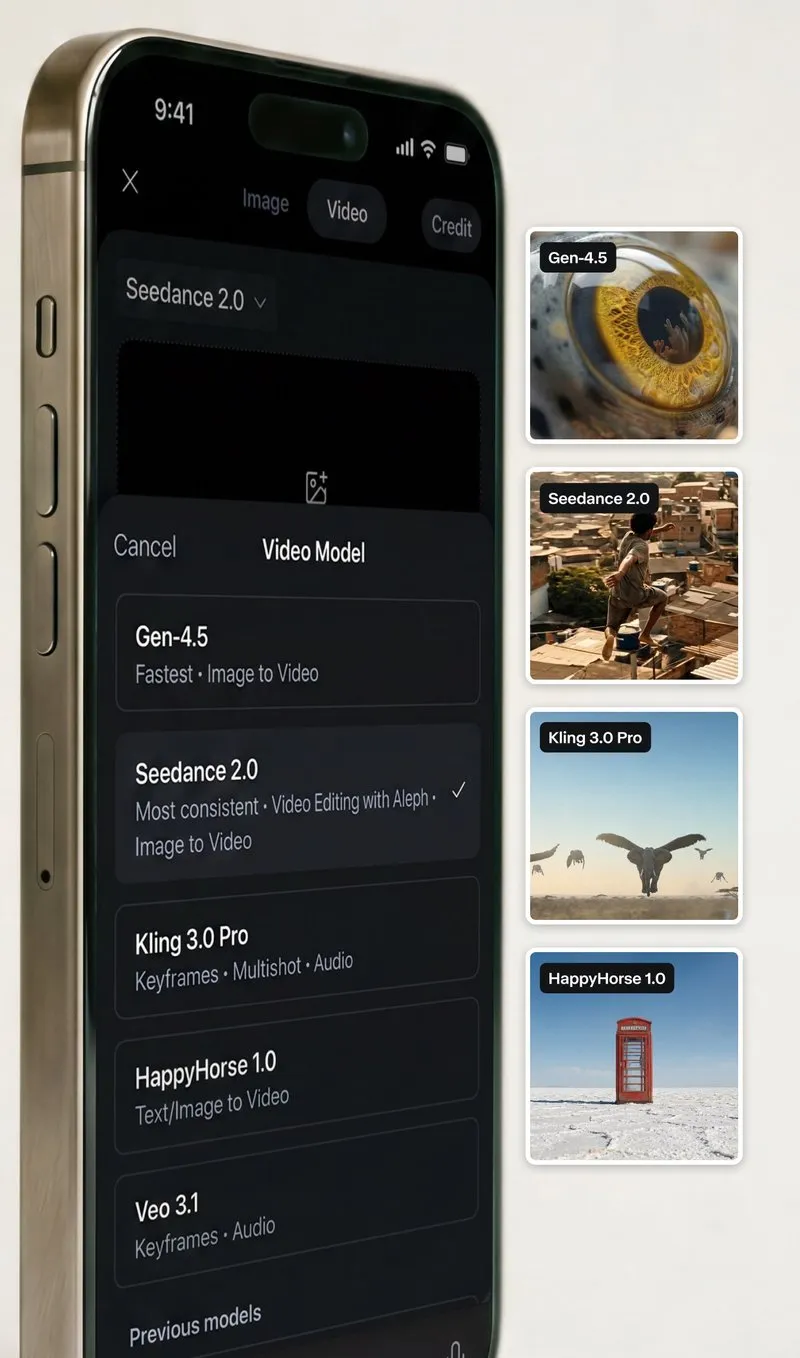
The names get confusing, so first the map:
- Runway is the company and the product (web, iOS and Android apps).
- Gen-4.5, Aleph 2.0, Act-Two and Ruby are its own models, one job each: generating, editing, performance and grading.
- Kling 3.0, Veo 3.1, Seedance 2.5 and Nano Banana Pro belong to other companies. Since February 2026 Runway has offered them inside its product, charged to the same credit balance.
- Agent, Workflows and Edit Studio are ways of working: conversation, pipelines and editing.
On the web there are three main entrances: Tool Mode (pick a model and set the parameters yourself), Agent (talk, and it chooses models, plans shots and cuts the film) and Edit Studio (a timeline plus Aleph editing). The phone app switches between Image and Video at the top, or offers a chat mode.
Runway's four own models
Video from text or a first-frame image. Ranked first on the Artificial Analysis blind-test leaderboard at launch in December 2025.
- Use it for
- Ad shots, product spots, mood footage
- Example
- A perfume bottle on wet black stone, slow orbiting camera, rim light, shallow depth of field.
- Limits
- 12 credits a second. Runway admits effects can precede causes, occluded objects can vanish and actions always 'succeed'.
Edits existing video from text: colour, background, removing objects, season, style, keeping everything else as it was.
- Use it for
- One asset needs many versions and a reshoot isn't an option
- Example
- Make the trainers red and keep everything else the same.
- Limits
- 28 credits a second, 56 minimum per edit; up to 30 seconds at 1080p.
Drives a character with a clip of a person performing, tracking head, face, body and hands.
- Use it for
- Animation previs, talking mascots, character performances in short films
- Limits
- 5 credits a second, 3-second minimum; paid plans only.
Converts SDR video to HDR, exporting HDR10, HLG, ProRes or EXR.
- Use it for
- Delivering an HDR master, or feeding an ACES grade
- Limits
- Up to 30 seconds and 4K; Max plan and above.
Sources: Runway Gen-4.5, Aleph 2.0 and Ruby pages; API pricing documentation (2026-10-18)
Text and images to video: Gen-4.5 does the heavy lifting
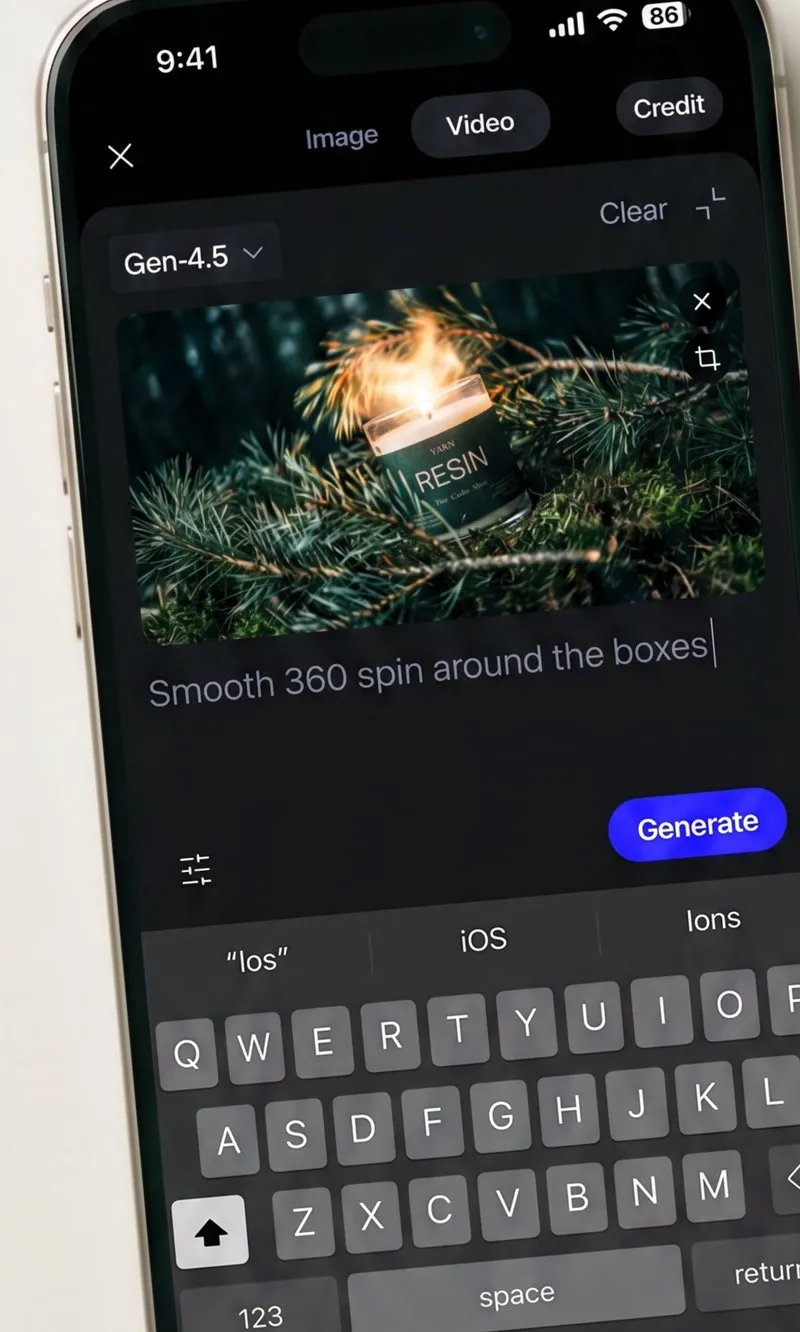
The usual method is image first, motion second: settle the frame with an image model or your own photo, then pick Gen-4.5 under Video, use the picture as the first frame, and write only the action and camera move in the prompt. Gen-4.5 has accepted a first frame since January 2026.
What helps:
- Write in camera language: “slow push in”, “handheld shake”, “360-degree orbit” work far better than “make it look nice”.
- Rough it out on a cheaper model: the same 625 credits buy 104 seconds of Gen-4 Turbo but only 52 of Gen-4.5. Switch to Gen-4.5 once framing and pacing are right.
- Don’t expect it to understand cause and effect: Runway’s own Gen-4.5 notes list three failures — a door opening before the handle is pressed, a cup vanishing after being hidden, a badly aimed kick still scoring. Shots that hinge on cause and effect need several takes.
At launch on 1 December 2025, Gen-4.5 topped the Artificial Analysis text-to-video blind test with 1,247 points, ahead of Veo 3 and Kling 2.5. That was more than ten months ago; ByteDance, MiniMax and Kuaishou have released new models since, and we could not verify where it ranks now.
Need sound? Runway’s API price list has separate with-audio and without-audio prices for Veo 3.1 and Kling 3.0, but no audio tier for Gen-4.5. For dialogue and effects, switch to Veo 3.1, Kling or Seedance in the menu, or add sound afterwards with Runway’s voice and sound-effect tools.
Editing footage you already have: Aleph 2.0 is the real draw
This is the best reason to choose Runway over the others.
Open a clip in Edit Studio and describe the change in a sentence: “make the trainers red”, “add graffiti on the wall behind him”, “remove the items on the wall behind her”, “change the season to winter”. Aleph 2.0 first shows you a preview still; if you like it, it generates the whole clip. Runway says it changes only what you asked for and keeps the background, lighting and action; in clips with cuts, it applies the edit across the relevant shots.
Where it fits:
- Seasonal or regional versions of an ad without a reshoot.
- One product in several colours.
- Removing things that shouldn’t be in shot.
Two cautions:
- It’s expensive. At 28 credits a second, a five-second edit costs 140 credits; Standard’s 625 monthly credits cover just over four.
- We found no solid independent test of Aleph 2.0. The description above comes from Runway’s own page; the first Aleph arrived in July 2025 and 2.0 only in May 2026.
Acting for a character: Act-Two
Act-Two, launched in July 2025, is performance capture without the suit: act a scene into your phone or camera, add a picture of a character (a cartoon, a statue, a monster), and it makes the character follow your expressions, lip movements and gestures, with no rigging. A later update lets you swap the voice too.
It won’t replace live performance in a finished film, but for animation previs, making a brand mascot talk or giving a virtual character a performance in a short, it is far faster than doing it by hand. At 5 credits a second on the API price list, it is the cheapest of Runway’s own models.
Same character, same product: References and the image models
The hardest part of a series is keeping the character and the product looking the same each time. Runway’s answer is to lock them in a still image first, then animate:
- Gen-4 Image with References: upload one or a few reference images (a person, a product, a location), name them in the prompt, and new images keep the same person or object. 8 credits per 1080p image, 2 with the Turbo version.
- Other companies’ image models: Nano Banana Pro (20 credits per image), Seedream 5.0 and others sit in the same menu.
- The older image model Frames (January 2025) no longer appears on the pricing page; Gen-4 Image is the one Runway promotes.
Agent and Workflows: handing over the repetitive work
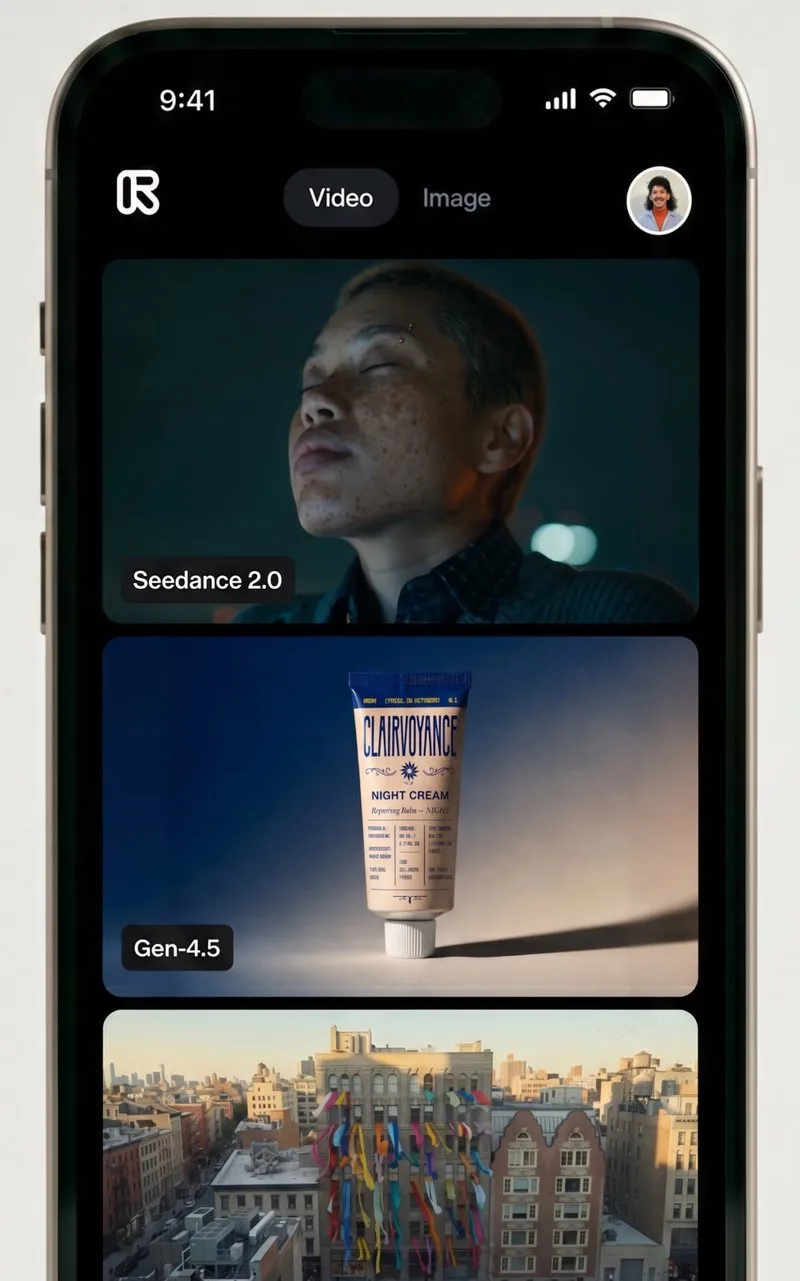
Agent (May 2026) works by conversation: ask for “three 15-second Reels ads for this chocolate bar” and it helps with the angle, picks models, generates the shots and cuts them on a timeline; it can resize for each platform (9:16, 16:9, 1:1) or localise into other languages. You can give it a brief or style guide as a PDF, and a Brand Kit stores your logo and colours so every session stays on brand.
Workflows (October 2025) are node-based pipelines: chain “generate image → animate → upscale to 4K → add voice-over”, save it, and run it again in one click. Agent can now build Workflows for you.
A real-world warning: an App Store reviewer wrote in August that “you pay per generation not just for the ones you actually use”, that the agent “will also trick you into spending your credits so you have to be very patient and vigilant”, and that spending $300+ on a 30-second to one-minute video is unsustainable. Before letting Agent loose, tell it how many versions you want and which model to use.
Paying for it: credits matter more than the monthly fee
Individual plans on the pricing page on 18 October 2026 (US dollars):
| Plan | Monthly | Yearly (per month) | Credits a month | Gen-4.5 it buys | Main differences |
|---|---|---|---|---|---|
| Free | 0 | 0 | 125 (once, never refilled) | Not available | Some models only, watermarked, can’t buy extra credits |
| Standard | $15 | $12 | 625 | About 52 s | No watermark, 4K upscaling, 5 generations at once |
| Pro | $35 | $28 | 2,250 | About 187 s | One voice clone, ProRes export, 15 generations at once |
| Max | $95 | $76 | 9,500 | About 791 s | Credits roll over one month; HDR, Ruby, early access to new models |
| Team | $69 per seat | $55 per seat | 6,900 per seat, pooled | — | From two seats; shared projects, comments, 1 TB storage |
| Enterprise | Custom | Custom | Custom | — | SSO, roles and permissions, no training on your data |
The traps:
- Failed takes cost the same. Credits are charged per generation, whether you use the result or not.
- Standard and Pro credits don’t roll over; they reset within 24 hours of the billing date. Bought credits never expire; the minimum purchase is 1,000.
- The big number is the yearly price. $12 is the annual rate per month; month to month it’s $15.
- Unlimited is gone. The old $95 Unlimited plan included unlimited relaxed generations (Explore Mode). It stopped being sold on 1 June and Max replaced it; existing subscribers move to Max after 30 November. Many guides online still recommend Unlimited; that information is out of date.
- Other companies’ models cost more. Seedance 2.0 Pro at 1080p costs 160 credits for four seconds in Runway, more than three times Gen-4.5 for the same length.
Which plan: try the 125 free credits first; Pro for someone making a few clips a week; Max if you produce every day and want credits to roll over. For the occasional few seconds, Standard is enough.
Why Hollywood uses it
Few rivals have Runway’s standing in film and TV:
- Lionsgate: a September 2024 deal to train a custom model on Lionsgate’s 20,000-plus films and series, for Lionsgate-affiliated filmmakers only; in June 2026 Lionsgate took a stake, and the two are co-developing a short-form series.
- AMC Networks: a June 2025 deal to make marketing images and previsualise shows before production.
- AI Film Festival: Runway has run one every year since 2023, with more than 6,000 submissions in 2025, and has partnered with the Tribeca Festival since 2024.
In the product, that shows as care for post-production: plugins for Premiere, After Effects and Resolve that generate and edit straight on the timeline; ProRes 4444 and PNG-sequence export on Pro and above; Ruby for HDR and ACES-ready EXR. If your footage ends up in an edit suite and a grade, these matter more than leaderboard points.
Choosing between Runway, Kling, Veo and Dreamina
The relationship is tangled: Kling, Veo and Seedance (the model behind Dreamina) can all be used inside Runway. So the real question is whether to go to the original maker or use them through Runway.
| Runway | Kling | Veo | Dreamina | |
|---|---|---|---|---|
| Company | Runway (New York) | Kuaishou | ByteDance | |
| Own video model | Gen-4.5 | Kling 4.0 / 3.0 | Veo 3.1 | Seedance 2.5 |
| Strongest at | Editing footage, post-production | Characters and dialogue; 30-second shots with 4.0 | Picture and sound together | Seedance 2.5 third on Artificial Analysis (October) |
| Entry price | $15 a month for 625 credits | ¥66 in China, $8.80 a month abroad | See the Veo handbook | See the Dreamina handbook |
| Chinese interface and yuan | English only; yuan in-app purchase on the China App Store | Both | See the Veo handbook | Both |
In short:
- For generating only, the original maker is usually cheaper: Kling’s overseas entry plan gives 660 credits for $8.80 a month, while the same model inside Runway is charged at Runway’s credit rates.
- For editing footage or working in an edit suite, choose Runway.
- To compare several companies’ models in one place without four subscriptions, Runway’s model menu is the easiest route.
(Kling and leaderboard figures come from the YLEM Kling handbook; for details see the Veo, Dreamina and Kling handbooks.)
Your footage can be used for training
Many users miss this. Section 4.4 of Runway’s Terms of Use (updated 15 September 2026) says the company doesn’t claim ownership of your inputs or outputs and doesn’t restrict commercial use, but your inputs and outputs may be used to train and improve its models, under an irrevocable, perpetual, worldwide licence. The Smart AI Stack’s September review found no training opt-out in the individual-plan privacy policy or pages.
The Team page doesn’t promise otherwise either; only Enterprise states “no training on your data”, along with SSO, SOC 2 and ISO 27001. So unreleased client products or confidential footage belong on an enterprise contract, or not on Runway at all.
Also: free-plan videos carry a watermark (the help centre says so), and free users can’t buy extra credits.
Using it from China
- Phone: the China App Store lists “Runway: AI Image & Video”, rated 4.7 from 979 ratings, interface in English only. You can pay through your Apple ID: Standard monthly ¥98, Pro monthly ¥228, Standard yearly ¥998, 1,000 credits ¥68. The China listing still shows “Unlimited – Monthly ¥698”, although Runway no longer sells Unlimited; check what you’re buying.
- Website: the terms say only that the service is run from the United States and that foreign users are responsible for following local law; Chinese users aren’t excluded. We couldn’t verify whether the website is reliably reachable from mainland networks or accepts Chinese cards; try it yourself.
- One China App Store reviewer wrote in April 2025 that compared with other video tools, RunwayML’s quality “feels like the best”; earlier reviewers asked for a Chinese version.
If you only want to generate video and don’t need footage editing or professional export, Kling or Dreamina will be easier from mainland China.
First steps
- Sign up at runwayml.com, or download Runway from the App Store or Google Play.
- Don’t pay straight away: run one or two generations on the 125 free credits and see exactly what each one costs.
- Once paying, rough out framing on the cheaper Gen-4 Turbo and finish on Gen-4.5; when editing, check Aleph’s preview still before generating.
Slow 180-degree orbit around the product, soft window light from the left, shallow depth of field, no cuts.
Change the season to winter: light snow on the ground and rooftops. Keep the people, their movements and the camera exactly the same.
Make three 15-second vertical ads for this chocolate bar for Instagram Reels. Use Gen-4.5 only, one version each, and ask me before generating anything longer than 15 seconds.
Recent changes
- Premiere Pro and After Effects plugins launch; a DaVinci Resolve plugin follows on 23 September
- Team plan launches: $69 per seat a month, each seat adds 6,900 credits to a shared pool
- Ruby launches, converting ordinary video to HDR
- Lionsgate takes a stake in Runway; the two will co-develop a short-form series
- Unlimited withdrawn and replaced by Max: no more unlimited relaxed generations, 9,500 credits a month instead
- Aleph 2.0 and Edit Studio arrive; edits up to 30 seconds
- Third-party models such as Kling 3.0 and Sora 2 Pro added; a $315m Series E closes the same month
- Gen-4.5 opens to all paid plans
Compared with similar products
| Product | Price | What it is |
|---|---|---|
| Dreamina 即梦ByteDance · handbook | Daily credits in China, about one 8-second video; watermarked; China ¥69 / ¥199 / ¥499 a month; Dreamina Basic about $15 a month | ByteDance's AI image and video maker: turn a sentence or a few reference pictures into images, videos up to 30 seconds and talking avatars. In China it is called Jimeng (即梦); elsewhere, Dreamina. |
| Hailuo 海螺 AIMiniMax · handbook | One-off trial credits for new accounts (about 150), watermarked, one task at a time; International $10.50 / $38 / $89 / $216 a month; China ¥65 / ¥243 / ¥1,399 a month | MiniMax's AI video tool: from a sentence, a picture, or a pile of images, clips and audio, it makes 2K videos of up to 15 seconds with stereo sound, and it also makes and edits pictures. |
| Kling 可灵Kuaishou · handbook | No fixed monthly credits, daily login bonus; watermarked, no commercial use; China ¥66 / ¥268 a month; international $8.80–$159.99 a month | Kuaishou's AI video generator: turn a paragraph or a few pictures into video with dialogue and sound; the newest model, Kling 4.0, makes up to 30 seconds in one go. |
| RunwayRunway · handbook | 125 one-off credits, watermarked; $15 / $35 / $95 a month ($12 / $28 / $76 billed yearly); Team $69 per seat | The New York company's AI video tool: it turns text and images into video, edits footage you already have from a single sentence, and puts Kling, Veo, Seedance and other companies' models in the same account. |
| Google Veo and FlowGoogle DeepMind · handbook | 50 Flow credits a day without a plan; video may be unavailable at peak times; Google AI Plus $4.99 / Pro $19.99 / Ultra $99.99 or $199.99 a month | Google's AI video tools: in the Flow web studio you generate short clips with sound using Veo 3.1 or the newer Gemini Omni, then string them into scenes; the same models also sit in the Gemini app, YouTube Shorts and the API. |
Sources
- Runway · Pricing page (read 2026-10-18)
- Runway · Team plan
- Runway · Changelog (to 2026-10-02)
- Runway · Introducing Gen-4.5 (2025-12-01)
- Runway · Aleph 2.0 product page
- Runway · Ruby product page
- Runway · Agent product page
- Runway · Introducing Solaris (2026-08-31)
- Runway · API pricing documentation
- Runway · Terms of Use (updated 2026-09-15)
- App Store (US) · Runway, version 100.0.0
- App Store (China) · Runway: AI Image & Video, with in-app prices
- Wikipedia · Runway (company)
- C21Media · Lionsgate buys stake in Runway (2026-06-11)
- The Smart AI Stack · Runway review: pricing, watermark and training terms (2026-09-22)
- SaaS CRM Review · Runway pricing guide (checked 2026-10-17)
- PricingSaaS · Unlimited renamed Max, credits rise to 9,500 (2026-06-08)
- YLEM · Kling AI handbook (2026-10-18)