Adobe Firefly
By Adobe · firefly.adobe.com ↗ · Checked 18 Oct 2026
Adobe's generative AI: images, video, music and voice-over on the web and phone, with the same models working inside Photoshop, Illustrator, Premiere and Express.
Verdict
Best for people already living in Adobe's apps: Photoshop's Generative Fill is still the most natural way to paint into part of a photo, Adobe's own image models are unlimited on paid plans, and outputs carry Content Credentials. On pure looks it trails Midjourney, and on following complex instructions it trails Nano Banana and GPT Image, which sit in its own model menu. The trap: "commercially safe" means Adobe's own models only; the partner models cost credits and fall outside that promise.
Use it if
- Designers and photographers on Creative Cloud who live in Photoshop
- Brand and ad teams that need traceable sources and clean rights
- Anyone who wants to try Google, OpenAI, Runway, Kling and other models from one account
- Editors who need temp music, sound effects or narration for short videos
Use something else if
- Pure looks and texture: Midjourney is stronger
- Editing by complex instructions or putting text in images: Nano Banana in Gemini or GPT Image in ChatGPT is cheaper
- Mainland China accounts: text-driven generation is blocked; use Dreamina (Jimeng)
- Full songs with vocals: Firefly only makes instrumentals; use Suno
- Free plan
- A few generations a day on selected models
- Paid
- $9.99 / $19.99 / $49.99 / $199.99 a month; Creative Cloud Pro $69.99 a month
- Where
- Web at firefly.adobe.com, iOS and Android apps; inside Photoshop, Illustrator, Premiere, Express and more
- Models
- Adobe's Firefly Image 5, Firefly Video and audio models; partner models from Google, OpenAI, Runway, Kling, Black Forest Labs, Luma and others
- Sign-in
- Adobe account
- Training
- Adobe says subscribers' content is not used to train its own or partner models
- Provenance
- Images made entirely by Firefly get Content Credentials automatically
- Region
- Text-driven generation is unavailable on accounts set to mainland China
“Firefly” now means three things: a family of generative models Adobe trains itself, the Firefly web app at firefly.adobe.com and its phone apps, and the AI buttons inside Photoshop’s Generative Fill, Premiere, Illustrator and Express. Plenty of people use Firefly every day without ever opening its website.
Since 2025 it has changed again. Besides Adobe’s own models, Firefly’s model menu now offers more than a dozen partner models: Google’s Nano Banana, OpenAI’s GPT Image, Runway, Kuaishou’s Kling and others. So an image “made in Firefly” may not come from an Adobe model at all, and the rights promise and the price change with it. The table below sums up Adobe’s help centre, media tests and user forums.
What to hand it, and what not to
| What you want | How | Free plan | How it goes |
|---|---|---|---|
| Add things to a photo or swap the background | Select an area in Photoshop and click Generative Fill, or use Prompt to Edit on the web | A few a day; unlimited on paid plans with Adobe's models | Most natural for painting into a selection; partner models follow whole-image instructions better |
| Images from text | Generate Image on the web or in the app; choose under Model | A few a day | Clean, stock-photo look; for style use Midjourney |
| Commercial assets with clean rights | Use Adobe's own Firefly models only | — | Its unique selling point; indemnity only in enterprise contracts |
| Short video clips | Generate Video; pick model, aspect ratio, length | Not really enough | Usable; 1080p eats credits |
| Music, sound effects, narration | Generate Soundtrack, Generate Sound Effects, Generate Speech | Depends on allowance | Fine as temp tracks and layers, rarely final |
| Let AI work across several apps | AI Assistant in Firefly, Photoshop and other apps | Public beta for paid users | Beta, and outside the IP indemnity |
| Using it from mainland China | — | — | Text-driven generation is blocked on mainland accounts |
One account, several doors
One Adobe account and one pool of credits, used in different places:
- Web, firefly.adobe.com: the fullest version. Images, video and audio, Boards for mood boards, a browser video editor and the AI Assistant.
- Firefly phone app: on iOS and Android. The App Store lists version 26.18.0, rated 4.7, iOS 18 or later. Work syncs to Generation History, so you can start on the phone and carry on in the browser.
- Photoshop: the most used door is Generative Fill and Generative Expand. After you make a selection, the contextual task bar underneath has a model drop-down.
- Illustrator, Premiere, Express: Illustrator generates vectors from text (partner models included); Premiere and Express have their own generative tools, drawing on the same credits.
Since June 2026 Adobe has also plugged these tools into ChatGPT, Claude and Microsoft 365 Copilot, and says Gemini and Slack are next.
Picking a model: Adobe’s own or a partner’s
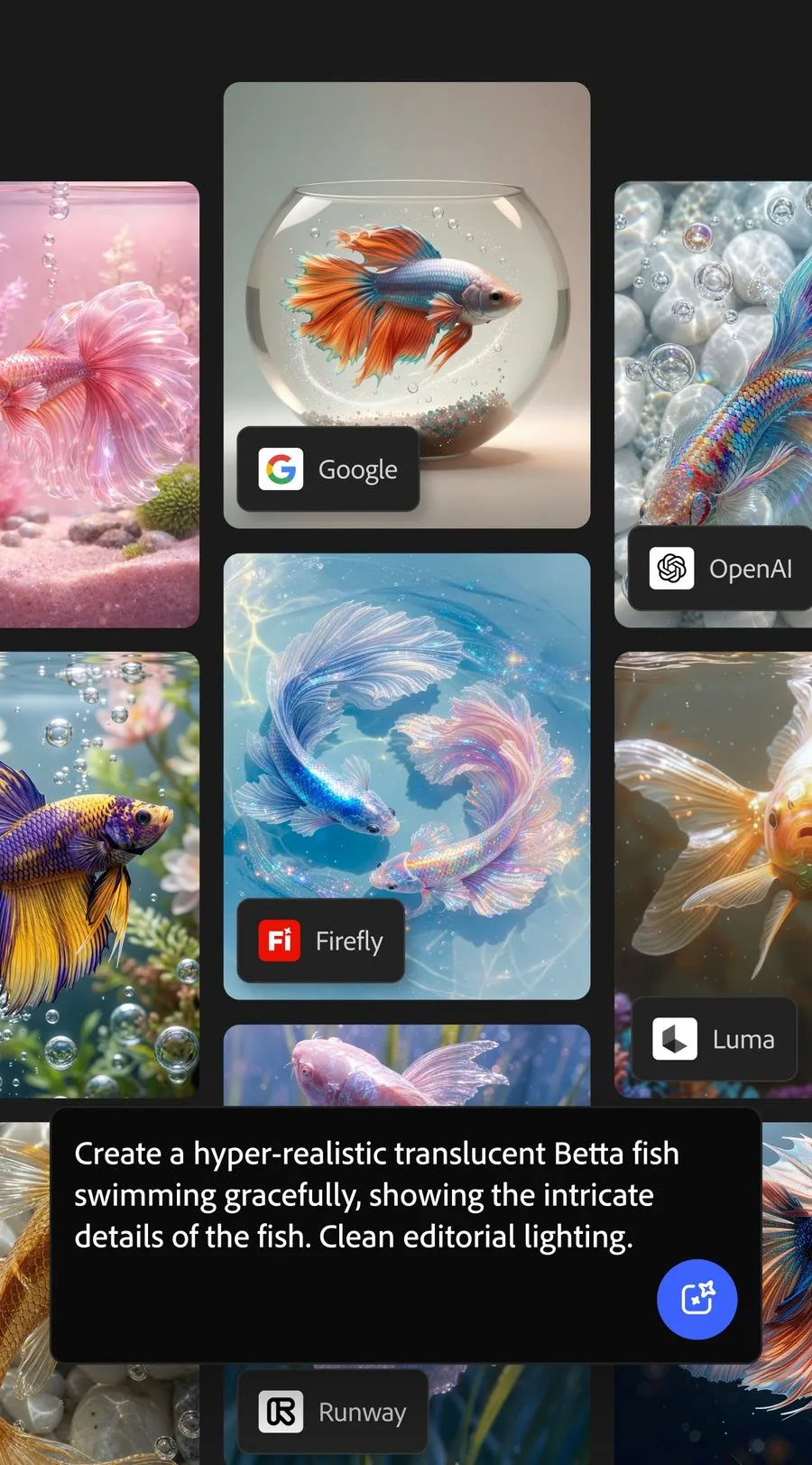
The Model field on the generation screen decides three things: how the result looks, how many credits it costs, and whether Adobe’s “commercially safe” promise applies.
The main kinds of model in Firefly
Released October 2025. Native 4 megapixels, and it can treat objects in a picture as layers to move or change on their own.
- Use it for
- Images that need to be commercially safe; whole-image edits by instruction in Photoshop
- Example
- Make this street scene overcast with light rain
- Limits
- 10 credits an image; standard image features on paid plans cost nothing. PhotoshopCAFE found its whole-image edit "maybe the best of all three".
Gemini's image models. They understand instructions like "turn the sweater red" and render legible text.
- Use it for
- Edits by instruction; images that need readable words
- Example
- Change the poster title to 'Weekend Market' and keep the typeface
- Limits
- Nano Banana 2 costs 20–30 credits, Pro 40. Not covered by Adobe's commercially safe promise.
OpenAI's image model; 10 aspect ratios since September 2026.
- Use it for
- Complex layouts, text and image together
- Example
- A landscape infographic: three steps on the left, a product photo on the right
- Limits
- 5, 20 or 80 credits at low, medium or high resolution.
Video from text or an image, with camera-motion presets.
- Use it for
- Commercially safe footage and establishing shots
- Example
- A bamboo forest in morning mist, the camera slowly pushing in
- Limits
- 20 credits a second at 540p up to 100 at 1080p; unlimited on Premium.
Google Veo 3.1, Kuaishou Kling 3.0, ByteDance Seedance 2.0, Runway Gen-4.5 and others.
- Use it for
- More realistic human motion, video with sound, multi-shot clips
- Example
- A man turns round on a rainy street at night, camera following, with ambient sound
- Limits
- Charged per second; Seedance 2.0 costs 180 credits a second at 1080p. Chinese models such as Kling are for individual plans only; Seedance isn't available in the US.
Sources: Adobe partner-models page and credits FAQ (as checked by Soku, 2026-10-07), Adobe Community (2026-10-06), PhotoshopCAFE (2026-05-22)
In Photoshop’s Generative Fill, Firefly counts as a standard feature and the partner models as premium (Digital Camera World). A Photoshop single-app subscriber gets only 25 credits a month, which is usually why people find the Nano Banana option “doesn’t work”.
Commercially safe means Adobe’s own models only
This is what separates Firefly from every rival, and the most misunderstood part.
- Training data: Adobe says its own models are trained on licensed content (mainly Adobe Stock) and public-domain material, never on subscribers’ work. In April 2024 Bloomberg reported that about 5% of the training set was AI-generated, including Midjourney images uploaded for sale on Adobe Stock. Adobe replied that all of it had been moderated.
- Refused prompts: PhotoshopCAFE notes that Firefly refuses prompts that may infringe intellectual property, which can be annoying; partner models are “much more forgiving”, but the commercial risk is then yours.
- Indemnity is enterprise-only: Adobe’s IP indemnity is a separate entitlement in an enterprise contract; individual and team plans don’t have it. An Adobe Community Expert (not an Adobe employee), citing Adobe’s documents in September 2026, explained that it covers Firefly and eligible generally available Google and OpenAI models, not Runway, Kling or Black Forest Labs, and nothing labelled “beta”, which rules out work done in the AI Assistant.
- Content Credentials: images made entirely by Firefly automatically carry Content Credentials recording the tool and the date. Anyone can read them with Adobe’s Inspect tool.
Editing in Photoshop: Generative Fill is still the most useful part

For many people Firefly simply is this Photoshop button: draw a selection, click Generative Fill, type what should go there, and get three candidates.
PhotoshopCAFE’s comparison in May 2026 is a useful guide:
- Adding something to the scene: asked for a wooden rowboat on a lake, Firefly’s Fill and Expand even got the reflections right; Nano Banana 2 left mismatched edges and FLUX couldn’t do it.
- Changing the whole picture by instruction: with everything selected and “overcast stormy day with rain”, Nano Banana 2 went dramatic, FLUX Kontext stayed realistic, and Firefly Image 5 was arguably the best.
- Only removing things: don’t use Generative Fill; use the removal tools. The Remove button inside Generative Fill costs no credits either.
The prompts differ too. Digital Camera World, after talking to Photoshop’s product lead, says Firefly works best with nouns and adjectives describing the result (“wooden rowboat”), not instructions like “change this to that”; for instruction-style prompts, switch to Nano Banana or FLUX.
Video: Adobe’s own model is cheapest on credits
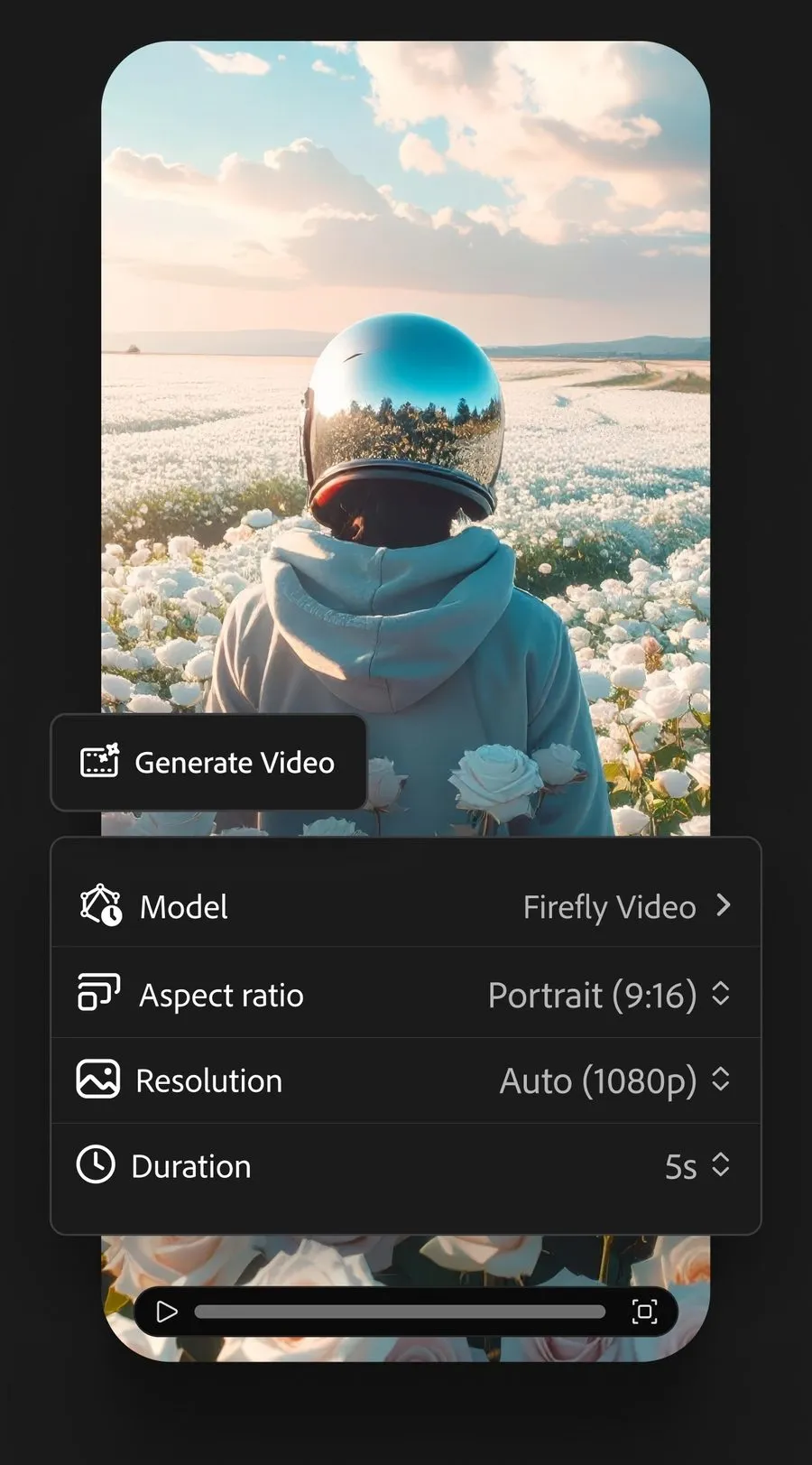
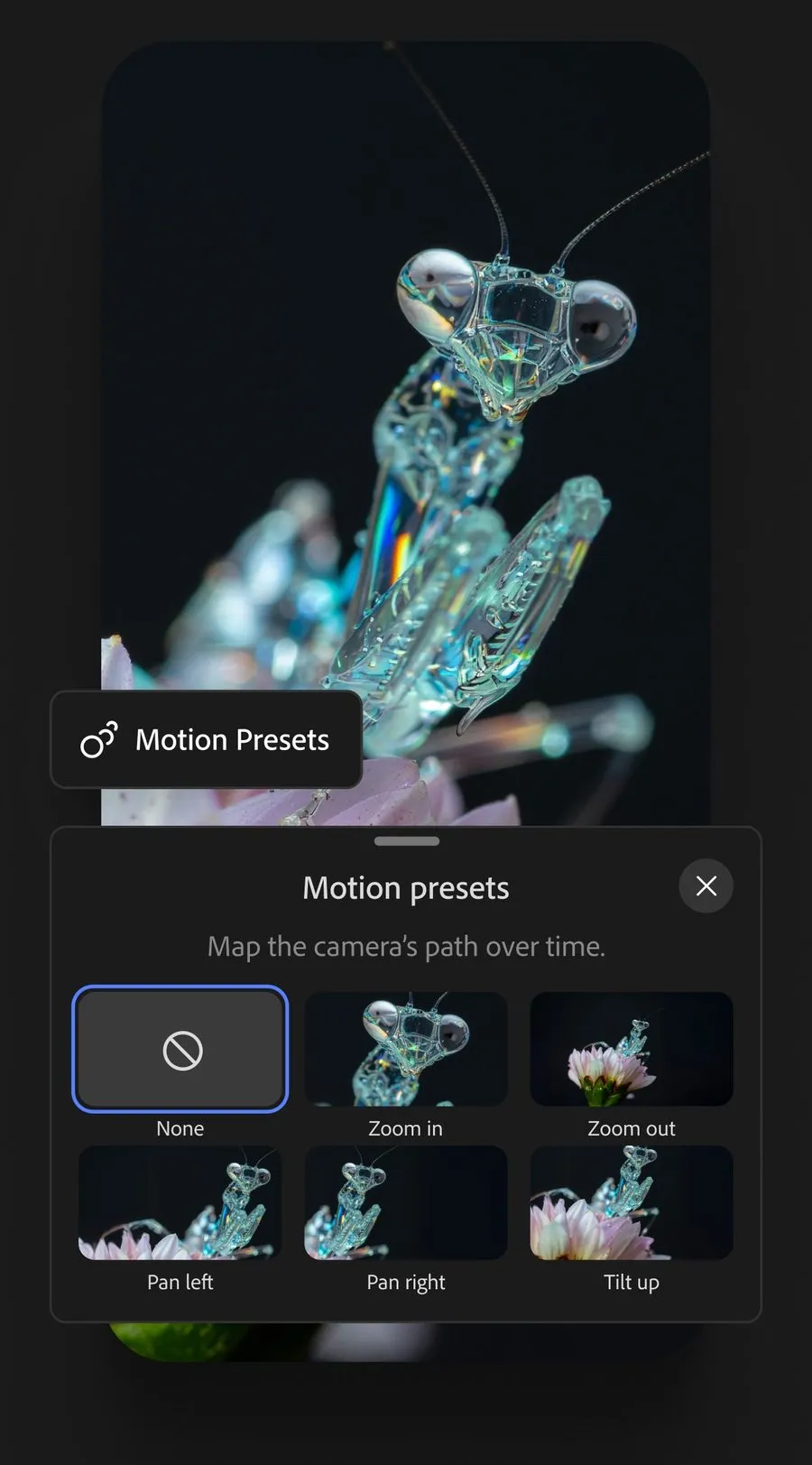
On the web or in the app, tap Generate Video, then write a prompt or upload a still to animate. Settings cover model, aspect ratio (portrait 9:16, for example), resolution and length; Motion Presets add push-ins, pull-outs and pans.
Video is where credits go. Adobe’s own video model costs 100 credits a second at 1080p, so a five-second clip is 500; the Standard plan’s 2,000 credits buy four 1080p clips or twenty at 540p. Partner models are charged per second on top, and Premium’s “unlimited video” covers only Adobe’s model.
No single model wins. Adobe ambassador Fei Wu ran one prompt through 13 models and concluded there is “a shortlist for different jobs”, not a best model; her method is to generate a clip from two or three candidates and judge them in the edit. Since September 2026 the web app can also strip the background from a video in one step.
Music, voice and sound effects: good for a rough cut
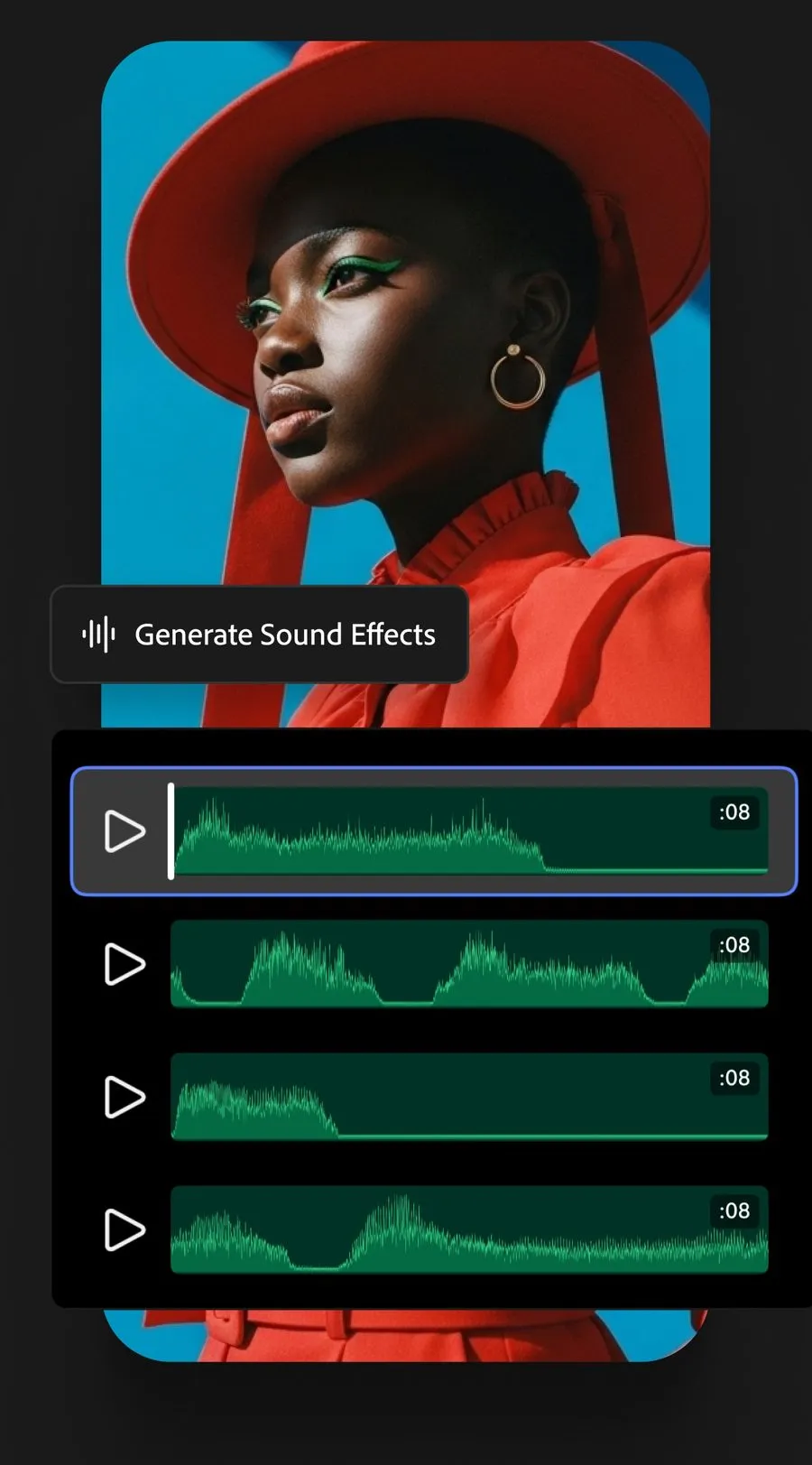
In August 2026 three audio tools became generally available: Generate Soundtrack for instrumental music, Generate Speech to turn a script into narration (with Adobe or ElevenLabs voices), and Generate Sound Effects, which also accepts your own voice to suggest timing.
The Japanese site AI Jiten tested them:
- Music is less polished than Suno and not usable as a finished track; but you can upload a video, let Firefly suggest a prompt from what it sees and get a piece of the right length, which is handy as a temp track for pacing an edit.
- Sound effects are hard to pin down with words alone; the most useful result was a reverse riser, good for layering under sounds you already use.
- Adobe calls the audio commercially safe, but check the licence terms before delivery.
Boards and the AI Assistant: the parts still in beta
Boards is an endless canvas where reference images, generated stills and clips sit side by side, so a team can pick a direction; you can call any model from it.
The AI Assistant is where Adobe is placing its bet: you describe the result and it runs Photoshop, Premiere, Express and other tools behind the scenes. It opened as a public beta in Firefly on 28 April 2026; on 18 June Photoshop, Premiere, Illustrator, InDesign and Frame.io got assistants of their own. Adobe’s examples include generating 50 versioned files from a spreadsheet in Illustrator and sorting and renaming clips in Premiere.
Two things to know: during the beta the assistant runs on a free daily allowance, not your credits; and it is outside the IP indemnity, so don’t make final commercial assets with it.
How credits work, and which plan to buy
One rule first: on a paid plan, standard features (Generative Fill with Firefly models, ordinary text-to-image) are unlimited; premium features (video, audio, the newest Firefly image models and every partner model) cost credits. Credits reset on your billing date and don’t roll over.
US prices (checked by Soku against adobe.com on 2026-10-07):
| Plan | Per month | Credits a month | Also includes |
|---|---|---|---|
| Firefly Free | $0 | A few generations a day on selected models | — |
| Firefly Standard | $9.99 | 2,000 | Unlimited standard features |
| Firefly Pro | $19.99 | 4,000 | Photoshop on web and mobile, Express Premium |
| Firefly Pro Plus | $49.99 | 10,000 | As Pro |
| Firefly Premium | $199.99 | 50,000 | Unlimited Adobe video model |
| Creative Cloud Pro | $69.99 (annual, billed monthly) | 4,000 | All desktop apps |
| Single app (e.g. Photoshop) | — | 25 (500 if subscribed before 17 June 2025) | — |
For scale: a Firefly Image 5 image costs 10 credits, Nano Banana Pro 40, a high-resolution GPT Image 2 image 80. There is also a time-limited offer: subscribe to Pro, Pro Plus, Premium or a credit pack of 4,000 or more and you get 12 months of unlimited generations on selected models from your start date, on the web and in the app only; team and enterprise plans are excluded (Adobe Help, version of 2026-10-13).
Which to choose: if you only fill and extend in Photoshop, your existing Creative Cloud plan is enough; to try many models and make the odd video, Firefly Pro is the best value; only daily video work with Adobe’s own model justifies Premium. The phone app also sells a $4.99 monthly plan and credit packs.
In mainland China: your account region decides
Adobe has not opened full Firefly in mainland China. According to the Chinese site Shephe (February 2026), the web app and Photoshop both open, but if your Adobe account’s country or region is mainland China, text-driven features (Generative Fill, Generative Expand, text-to-image) are blocked, while tools like Remove still work; a different network or payment method doesn’t help. To check, sign in at account.adobe.com → Profile → Country or region.
Separately, an Adobe community manager says the two Chinese models in Firefly, Kling and Seedance, are open to individual subscribers only, and Seedance isn’t available in the US. In China, ByteDance’s Dreamina (Jimeng) or Kling do the same jobs directly.
Things to know before you rely on it
- Credits go when you click. Users report being charged for generations that hung; a community manager says credits are taken when you press Generate and refunded for failures.
- Content Credentials can misfire. Since July 2026 users have reported their own camera photos being rejected as reference images because they “have Content Credentials”. Adobe’s first guess was a company network or firewall blocking the verification service.
- “Unlimited” has a ceiling. The credits FAQ says unlimited plans have safeguards against misuse, and unusual usage can trigger a temporary restriction.
- Models get retired. The original Nano Banana (Gemini 2.5) is being withdrawn from 2 October 2026, so saved workflows need a new model.
- The training-data question hasn’t gone away. “Commercially safe” rests on Adobe Stock licences, and Adobe Stock holds a lot of AI-generated images, which is what the Bloomberg report was about.
Firefly, Midjourney, Nano Banana or Dreamina
| You want | Better choice | Why |
|---|---|---|
| Clean rights, and to keep editing in Adobe apps | Firefly | Licensed training data, enterprise indemnity available, seamless with Photoshop |
| Looks and a consistent style | Midjourney | Stronger aesthetics; but no free trial, and images are public by default |
| Editing by instruction, text in images | Nano Banana | Free in Gemini; 20–40 credits an image inside Firefly |
| Images and short video from inside China | Dreamina (Jimeng) | The same Seedance video models, directly available |
Firefly’s real advantage is not that any one model is best, but that it puts many models, a rights promise and Adobe’s editing tools behind one account.
First time: try these three things
- Open firefly.adobe.com or install the Firefly app and sign in with your Adobe account. If you already pay for Creative Cloud, the credits are shared.
- Before generating, check the Model field: is it Adobe’s own model? Partner models show their credit cost next to the name.
- If you have Photoshop, try Generative Fill once to feel how it differs from the web app.
wooden rowboat with a lit oil lamp
A bamboo forest at dawn, mist drifting between the stems, sunlight slanting in from the upper right, the camera slowly pushing forward
Light acoustic guitar, bright and warm, medium tempo, for a product introduction, fading out at the end
Recent changes
- Google starts retiring Gemini 2.5 (the original Nano Banana); Nano Banana 2 and Pro remain
- Video background removal; 10 aspect ratios for GPT Image 2; reference images for Kling 3.0 Omni; longer prompts
- Music, speech and sound-effect tools become generally available
- AI Assistant arrives in Photoshop, Premiere, Illustrator, InDesign and Frame.io (public beta)
- Firefly AI Assistant public beta opens to Creative Cloud Pro and paid Firefly users
- Partnership with NVIDIA on the next Firefly models
- Unlimited generations on selected models for paid users, including Nano Banana Pro and GPT Image
- Firefly Image 5: native 4 megapixels and layer-style editing
Compared with similar products
| Product | Price | What it is |
|---|---|---|
| Adobe FireflyAdobe · handbook | A few generations a day on selected models; $9.99 / $19.99 / $49.99 / $199.99 a month; Creative Cloud Pro $69.99 a month | Adobe's generative AI: images, video, music and voice-over on the web and phone, with the same models working inside Photoshop, Illustrator, Premiere and Express. |
| MidjourneyMidjourney · handbook | No free trial; $10 / $30 / $60 / $120 a month; 20% off yearly | A paid image generator that turns written descriptions into pictures with its signature polish; it can also edit images, copy a style from references and turn pictures into short video clips. |
| Nano Banana (Gemini images)Google · handbook | Free Gemini includes Nano Banana 2, 1K downloads; With a Google AI plan (from $4.99 a month); API about $0.034–$0.24 per image | Google's image model for making pictures, editing photos and combining several images from a plain sentence, with accurate text inside the image. It lives inside the Gemini app, Google Search, Google Photos, Slides and the developer API. |
Sources
- Adobe newsroom · Creative agent expands across Firefly and Creative Cloud apps (2026-06-18)
- Adobe newsroom · Adobe and NVIDIA partner on next-generation Firefly models (2026-03-16)
- Adobe Help · Partner models in Adobe products
- Adobe Help · Generative credits FAQ
- Adobe Help · Firefly unlimited generations special offer (version of 2026-10-13)
- Adobe Help · Content Credentials overview
- App Store · Adobe Firefly (version 26.18.0)
- Adobe Community · What's new in Adobe Firefly, September 2026 (2026-09-18)
- Adobe Community · AI Assistant beta and IP indemnification (2026-09-07)
- Adobe Community · Reference images blocked by Content Credentials (2026-07-28)
- Soku · Adobe Firefly pricing and credits, checked against adobe.com (2026-10-07)
- JustCreative · Adobe Creative Cloud pricing guide (October 2026)
- TechCrunch · Firefly Image 5 brings support for layers (2025-10-28)
- 9to5Mac · Firefly offers unlimited generations, third-party models included (2026-02-02)
- No Film School · Unlimited generations in Firefly (2026-02-02)
- IT Home · Firefly AI Assistant public beta (2026-04-28)
- IT Home (Tencent News) · Adobe brings AI agents to Creative Cloud (2026-06-18)
- AI Jiten · Firefly music and sound effects, tested (2026-08-25)
- Digital Camera World · Which model to use for Generative Fill in Photoshop (2025-12-24)
- PhotoshopCAFE · How to choose the best generative AI model in Photoshop (2026-05-22)
- Feisworld · Firefly video models, same-prompt test (2026)
- Bloomberg · Adobe's 'ethical' Firefly AI was trained on Midjourney images (2024-04-12)
- Shephe (像素工坊) · Can Adobe Firefly be used in China? (updated 2026-02-21)
- Wikipedia: Adobe Firefly